

MeetETA – Time Zone Converter
1 rating
)
Overview
Time zones made simple. Select a time like '3 PM EST' on any page or in Gmail and see it in your own time zone.
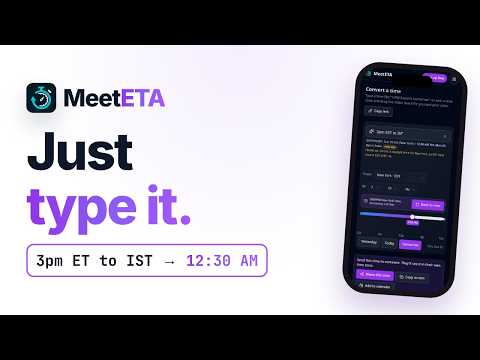
Time zones made simple. Someone emails "let's talk at 3 PM EST Thursday" and you're in Bengaluru, London or Sydney? Just select the text. MeetETA shows that moment in your own time zone right next to it: "3:00 PM EDT = 12:30 AM IST (Fri)". Works on any website, including Gmail: select a time to convert it, or right-click and choose Convert with MeetETA. NEW: name a zone and see the time there. Select "3:30pm London to EST" or "9am London to Tokyo" and MeetETA shows New York or Tokyo time, with your own time just below. Understands how people actually write times: "3 PM EST", "15:00 GMT", "10am PT Thursday", "noon London tomorrow", "9:30 CET". Daylight-saving aware: warns you when "EST" is written in summer (when New York is really on EDT), a classic cause of missed meetings. Copy the converted time, or copy a MeetETA share link so the other person sees the time in their zone too. Toolbar popup: type any time to convert it, and a mini world clock of up to 4 cities you choose. Free MeetETA account (optional): sync your cities across devices and get your own time link at meeteta.com. Clean, high-contrast design that never clashes with the page you're on. Private by design: MeetETA works entirely on your device. It collects no data, runs no analytics and makes no network requests. It saves only your world-clock cities and whether you've dismissed the signup tip, in Chrome's own storage. What's new in 1.1.0 - Ask the popup what time it is anywhere. Type "what time is it in Tokyo", "time in California" or "EST time now" and see the time there right now, your own time, and how far apart you are. - Daylight saving warning on current-time questions too. Ask for "EST time now" in summer and the popup tells you New York is on EDT. - One click to the matching city page on meeteta.com. - No new permissions. Still no data collection and no network requests.
5 out of 51 rating
Details
- Version1.1.0
- UpdatedOctober 27, 2026
- Offered byCorelead Interactive
- Size90.92KiB
- LanguagesEnglish
- DeveloperCorelead Interactive Pvt Ltd
Linbuz Business Centre, 2910-B, 14th Main Road, Anna Nagar West, Chennai, Tamil Nadu 600040 INEmail
info@corelead.comPhone
+91 98842 18881 - TraderThis developer has identified itself as a trader per the definition from the European Union and committed to only offer products or services that comply with EU laws.
- D-U-N-S871264662
Privacy

This developer declares that your data is
- Not being sold to third parties, outside of the approved use cases
- Not being used or transferred for purposes that are unrelated to the item's core functionality
- Not being used or transferred to determine creditworthiness or for lending purposes
Support
For help with questions, suggestions, or problems, please open this page on your desktop browser