

Meet Auto Exit Bot
6 rating
)
Ringkasan
Exits meet based on number of people present.
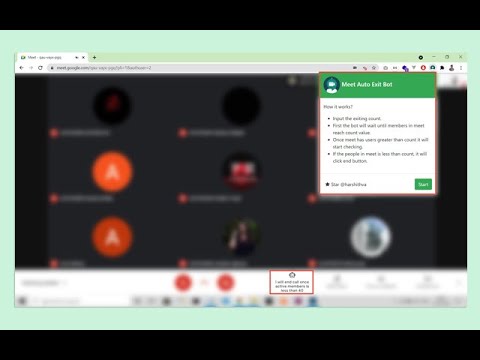
A simple bot that automatically clicks exit button based on number of people present in meet. New Version Out! Supports Google Meet, Zoom Note: New version prevents the execution of scripts in the background when you are in another tab. In order for the extension to work properly, you should not switch between tabs. How it works? 1. Click start button 2. Input the exiting count Ex: 2 3. First the bot will wait until members in meet reach count value +1(Ex: 3) 4. Once meet has users greater than count it will start checking 5. If the people in meet is less than count, it will click end button YouTube Tutorial https://www.youtube.com/watch?v=J2VXeb7TbOY
4,3 dari 56 rating
Detail
- Versi4.0
- Diupdate25 Mei 2022
- Ditawarkan olehHarshith VA
- Ukuran153KiB
- BahasaEnglish
- Developer
Email
harshith@vawebsites.in - Non-pedagangDeveloper ini tidak mengidentifikasi diri sebagai pedagang. Bagi konsumen di Uni Eropa, perlu diperhatikan bahwa hak konsumen tidak berlaku untuk kontrak antara Anda dan developer ini.
Privasi

Developer ini menyatakan bahwa data Anda
- Tidak dijual ke pihak ketiga, di luar kasus penggunaan yang disetujui
- Tidak digunakan atau ditransfer untuk tujuan yang tidak terkait dengan fungsi inti item
- Tidak digunakan atau ditransfer untuk menentukan kelayakan kredit atau untuk tujuan pinjaman
Dukungan
Untuk mendapatkan bantuan terkait pertanyaan, saran, atau masalah, kunjungi situs dukungan developer