

Mnestic
2 ratings
)
Overview
Link your question bank to your AnKing cards: resource overlays on every question, one-click cards, weak areas, and a tracker.
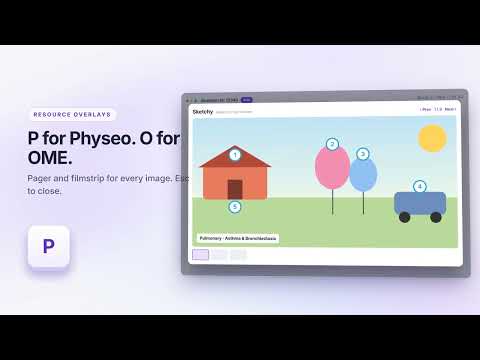
Mnestic connects the question you're studying to your own AnKing cards — no copy-pasting and no tab-switching. Works on UWorld, Coursology and MedPark. AnKing tag search work on all of them. ── WHILE YOU REVIEW A QUESTION ── • RESOURCE OVERLAYS. The resources your own card links to — First Aid, Sketchy, Physeo, OME and more — listed beside the explanation, one line each. Press F, S, P or O and that resource's images appear over the question. Multi-page topics page with the arrow keys. • SEE THE CARDS. How the matching cards actually stand (mature, young, learning, suspended) with one-click unsuspend — and Suspend again if you change your mind — and a preview of the whole card with clozes revealed, without opening Anki. • KEEP THE ONES YOU MISSED. Save a question into a chapter subdeck built from the card's own AnKing tags, with your note added to the card. Move the real card, tag it, or make a copy — your choice, changeable at any time. Saved one by mistake? Reopen the dialog and one click takes it back out: it untags the card, moves it home, and keeps everything you typed. • MAKE A CARD. Select any explanation text and turn it into a new Cloze or Basic card, created in Anki with the question id as its source. Paste screenshots in. • TEST YOURSELF. The question's own AnKing cards as a quick flashcard run, in a focus window that hides the explanation while you recall — Space and 1, like Anki. Practice only: your Anki schedule is never touched. • HOW DID THAT GO? One optional tap — knew it, guessed, misread, torn between two — and the one next step that helps. Guesses count as weak. • COPY FOR AI. The question, your answer and the correct one, with a focused prompt (full review, why you got it wrong, compare the choices, high-yield points, quiz me), in one click for ChatGPT, Claude or Gemini. ── WHEN THE BLOCK IS DONE ── • WEAK AREAS. Per System / Subject / Topic accuracy, weakest first, with a button that opens just that group's missed questions in Anki. • OPEN THEM IN ANKI. Missed, all, flagged, or high-yield only — straight to Anki's browser, or unsuspended in bulk. ── OVER THE WEEKS ── • STUDY TRACKER. Today and this week against your targets, a daily streak, a 16-week heatmap, 7-day accuracy, and a projected finish date from your real pace. • RETEST WHAT YOU MISSED. The question ids grouped by chapter, ready to paste into your qbank's own test builder — and a filtered deck to study them in Anki. ── PRIVACY ── Everything runs on your own computer. There is no server, no account and no telemetry. The extension talks to exactly two things: the question-bank page you're already on, and a small companion add-on on 127.0.0.1 that searches your own Anki collection. Nothing is collected and nothing is sent anywhere. The add-on cannot delete your cards: it has one delete operation, for undoing a "make a copy" save, and it refuses any note it did not itself create. ── WHAT YOU NEED ── 1. Anki, running, with the free companion add-on "Mnestic Bridge": Tools > Add-ons > Get Add-ons, paste 199262916, restart Anki. https://ankiweb.net/shared/info/199262916 2. Your own AnKing deck, with the UWorld question-id tags. 3. Your own question-bank access. Full guide: https://github.com/KhaledMD4321/mnestic/blob/main/docs/guide.md Open source (GPLv3): https://github.com/KhaledMD4321/mnestic Free, with no ads and no paid tier. If it helps you, you can support it: https://buymeacoffee.com/bnkhaled An independent study tool, not affiliated with any question bank, resource, or with Anki or AnKing. Use your own accounts and your own content.
5 out of 52 ratings
Details
- Version1.5.0
- UpdatedOctober 6, 2026
- Size139KiB
- LanguagesEnglish
- Developer
Email
tqniamag0@gmail.com - Non-traderThis developer has not identified itself as a trader. For consumers in the European Union, please note that consumer rights do not apply to contracts between you and this developer.
Privacy

This developer declares that your data is
- Not being sold to third parties, outside of the approved use cases
- Not being used or transferred for purposes that are unrelated to the item's core functionality
- Not being used or transferred to determine creditworthiness or for lending purposes
Support
For help with questions, suggestions, or problems, visit the developer's support site