


Overview
SEO signals on search results and Google Maps, Etsy seller tools, keyword difficulty, one-click page audit and everyday web tools.
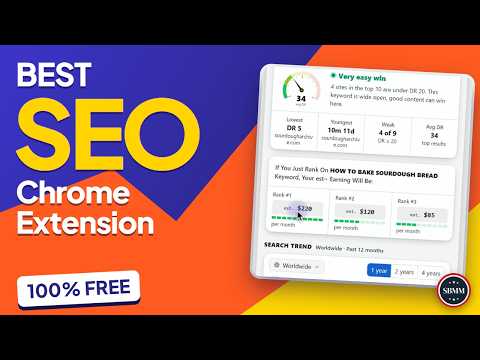
SBMM - SERP Signals & Toolkit shows how strong every search result is, how hard a keyword is to rank for, and what a local business profile is missing. It also audits any page in one click and adds a slim top bar with everyday web tools. It is free and works without an account. SEE HOW STRONG EVERY SEARCH RESULT IS Each organic result on Google and other major search engines gets a compact bar with: • Domain rating, domain authority, page authority and spam score • Referring domains, backlinks, estimated monthly visits, domain age and global rank • Registrar, expiry date and how long the site has been archived Colours show how hard each result is to beat: green for weaker sites, yellow in the middle and red for strong sites. Weak sites are highlighted so the easy wins stand out. KNOW HOW HARD A KEYWORD IS BEFORE YOU WRITE • A slim line above the results shows the searched keyword's monthly volume, cost per click, competition and a 12 month trend • Keyword Difficulty by SBMM scores the top 10 from 0 to 100, split into off-page and on-page parts, and tells you when a search is a brand query • A sidebar sums up the page: the weakest and youngest sites in the top 10, an authority spread, related searches and questions, search features found on the page and long-tail ideas • Search as if you were in another country or language, no VPN needed • Export the results to CSV, JSON or Markdown LOCAL SEO ON GOOGLE MAPS Every business on Google Maps and in the local results on Google search gets a small row with its primary and secondary categories, the strength of its website, and one-click copy buttons for its Place ID, CID and review link. The Audit button opens a full Business Profile Audit: • An overall score out of 100 with clear fixes • Website vs profile: name, phone, address and opening hours compared side by side • Duplicate listings, name, address and phone consistency, and manual directory checks • Schema check with ready-to-copy structured data • Category ideas and a competitor gap list from the businesses around you • Rank check with a map grid that shows where the business appears across the area • Service pages, local answer engine readiness and review themes • Copy the report, export CSV or print to PDF AUDIT ANY PAGE IN ONE CLICK Click the extension icon on any website to see: • Overview: authority, links, traffic, age and a 12 point health check • Full audit report with every check explained, ready to save as PDF • Headings, links, images, schema, social tags and redirects with filters and exports • HTML vs DOM: what only appears after scripts run • AEO / GEO Analyzer: scores how ready the page is to be quoted in answer engines, across five areas with prioritised fixes. It is a readiness checklist, not a ranking prediction. • Internal Link Finder and Internal Link Graph: find linking opportunities, orphan pages and weakly linked pages • Detector and Performance: the platform and services behind the site, page speed timings and heavy files KEYWORD IDEAS Turn one seed keyword into hundreds of ideas grouped by search intent and topic. Pick a country and language, choose patterns, pause or resume at any time and export to CSV or JSON. Projects are saved only in your browser. TOOLS ON EVERY WEBSITE A slim top bar shows the site's key signals, word count, last updated date, content system, monetization and indexed pages. On the right are quick tools: • Snipping tool with arrows, boxes, text, blur and numbered steps • Full page screenshot • Colour picker with history • Clean text extractor (plain text or Markdown) • Bulk URL opener that can read the site's own sitemap The top bar is on after install. Turn it off or on from the popup header, and hide it with one click. While it is off or hidden it looks nothing up. The same tools are always in the popup's Tools tab, even with the bar off. YOU DECIDE WHAT RUNS A power button in the popup header turns the whole extension on or off, and the Settings tab has a switch for every feature, search engine and tool. Changes apply at once, and a switched-off feature stops running and sends no requests. PRIVACY IN SHORT • No account, no ads, no analytics and no trackers. • To show numbers, only domain names, public result addresses and the searched keyword are sent to our server (for keyword difficulty, also the public titles and snippets of the top results). The content of pages you read is never sent. • Page audits, link tools, screenshots, keyword projects and saved reviews stay in your browser. • Full privacy policy: https://ext.sbmm.com.pk/privacy Guide: https://ext.sbmm.com.pk/guide Feedback and support: https://ext.sbmm.com.pk/feedback What's new in 1.8.3 • Search Console keyword data: in Google Search Console, the Performance > Queries table now shows search volume, CPC, competition and a 12 month trend next to each query. Free accounts see 2 rows per table and keep their daily limits; with a credit pack every row shows, at 1 credit per keyword row. • Credit packs: accounts with a credit pack use AdSense Reverse, Content Gap, the side panel Bulk check (1 credit per site) and every Search Console keyword row from one credit balance, shown in each tool. Free accounts keep the Free limits as before. • In Search Console, the same query on the same site again within 30 days is free. In AdSense Reverse and Content Gap, the same check again the same day (UTC) is free. Rows with no data use no credit. • Your credits balance shows at the bottom of the popup. What's new in 1.8.2 • Bulk tab in the side panel now checks up to 10 sites per run, the same as the Bulk DR tool on our website. • Fixed a wrong ad network badge on some big sites (for example Google pages). • SERP Movement now shows on Google only. • More accurate results by country: the Google country of your search is used, and other engines no longer guess the US when no region is set. What's new in 1.8.1 • Every supported search engine now works like Google: the keyword line sits under the search box, with keyword difficulty, the results count and the country switch on each engine. • AI citations on every supported search engine: when an AI answer cites sources, a small strip above it lists them with each site's Domain Rating. • New Snippet tab: see and edit how a page looks in Google results on desktop and mobile, with live length and width warnings. • A small badge under each result shows the site's ad setup (for example AdSense) when it is known. • New Bulk tab in the side panel: check DR, DA and more for many sites at once, with a CSV download. • The side panel's Overview now also lists related keywords, long-tail ideas and People Also Ask. • SERP movement moved into the side panel, above Search Trend, with a plain explanation of what Stable, Moving and Volatile mean for ranking. • Fixed a search engine where results only showed after scrolling down. • The AdSense Reverse tab no longer stays stuck on "daily limit reached" after you upgrade your plan or the next day starts. • Refreshed the logo, plus many speed and stability fixes. What's new in 1.8.0 • AdSense Reverse (Contributor plans): a new popup tab that finds other websites using the same AdSense account as the site you are on, with their DR and traffic. • Content Gap (Contributor plans): compare the page you are on with the Google top 10 for a keyword. See word count, headings and terms the top pages cover that yours does not, schema they use and links. • AI citations (Contributor plans): a small strip shows which sources an AI answer cites on Google, ChatGPT, Perplexity and Gemini, and highlights your own tracked domains. • SERP volatility (Contributor plans): a Stable / Moving / Volatile score in the keyword line on Google shows how much the top 10 for a search has changed lately. • Backlinks report: a button in the Domain tab opens the site's backlinks on our website. • Side panel: a cleaner header, and Reverse checks in the side panel run only when you ask. • Clearer names across the extension, small "New" marks on the new tabs, and many speed and stability fixes. What's new in 1.7.9 • Etsy Demand: the keyword bar now shows how much buyers actually want a term on Etsy (Low / Medium / High), worked out from the top listings' views, favourites and sales. The Google web-searches number stays, smaller, beside it. • Results table: a new button on Etsy search pages opens every result in one sortable table with est. sales, revenue, monthly, views, favourites, age and quantity, plus filters (ads, bestseller, star seller, Etsy's Pick, free shipping, on sale), a search box and CSV export. A Tags tab lists the tags used across the page. • Shop pages: each item in a shop's grid now gets the same signals bar that search results already had. • Revenue in US dollars: estimated revenue is now shown in USD everywhere on Etsy, so listings in different currencies compare cleanly. • Listing "Available" quantity, and the top countries that search a term on the keyword bar. • Clearer wording: the monthly figure is labelled "Avg / mo" (a lifetime average) and the age tip says "First listed". • More accurate numbers: keyword views, favourites and difficulty now read all top listings (foreign-language ones were being left out, which undercounted busy terms). What's new in 1.7.8 • Try SBMM before you sign in: you get 10 free searches without an account. A small line shows how many are left, and when they are used a free account (Google or email) keeps everything working. Etsy tools still need a sign-in. • Etsy: the bars, tabs, buttons and pop-ups on Etsy now have the same square, compact look as the rest of SBMM. • Search volume by country: the keyword line shows the volume in the country your search is set to (for example "Pakistan SV"), the worldwide volume (GSV) shows inside the Google search box. Change the country and it updates. On smaller windows the keyword line stays on one line. • Maps rank check: the grid sits exactly on the business, and the pins stay in place while you move or zoom the map. What's new in 1.7.7 • Free account: sign in once with Google or email to use SBMM. It takes a few seconds, and the popup, the side panel and every SBMM page show a Sign in free button until you do. • New square, compact design: the results bar, the right panel, the top bar, the popup, the local SEO rows and the extension pages are smaller and cleaner, with square corners and the same colours. • The right panel on search results is now called SBMM SERP Signals. • The logo no longer has a box behind it.
4.9 out of 565 ratings
Details
- Version1.8.3
- UpdatedNovember 25, 2026
- Size777KiB
- LanguagesEnglish
- DeveloperWebsite
Email
sbmmofficially@gmail.com - Non-traderThis developer has not identified itself as a trader. For consumers in the European Union, please note that consumer rights do not apply to contracts between you and this developer.
Privacy

SBMM - SEO Signals & Etsy Toolkit has disclosed the following information regarding the collection and usage of your data. More detailed information can be found in the developer's privacy policy.
SBMM - SEO Signals & Etsy Toolkit handles the following:
This developer declares that your data is
- Not being sold to third parties, outside of the approved use cases
- Not being used or transferred for purposes that are unrelated to the item's core functionality
- Not being used or transferred to determine creditworthiness or for lending purposes
Support
For help with questions, suggestions, or problems, visit the developer's support site