


Overview
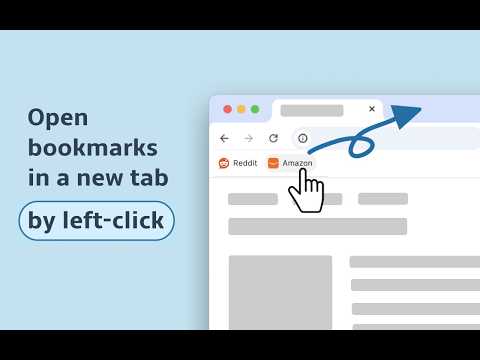
Make every bookmark open in a new tab — with just a left-click.
Keep your current page open while browsing your bookmarks. No more losing your place or accidentally navigating away from what you're doing. ✅ How it works To make this possible, the extension adds a small marker "newtab@" to your bookmark URLs. This is required because extensions cannot directly change the default left-click behavior of the bookmarks bar. You can always restore your bookmarks to their original URLs from the extension options by switching the extension OFF. ℹ️ Known limitations 1. Some bookmarks may temporarily lose their icons. After you open the bookmark once, the browser restores the icon. 2. Some websites may show a “Leave site?” popup. You can click “Leave”. Your current page will stay open, and the bookmark will open in a new tab. 3. The bookmark star button in the address bar may not detect the current website as an already saved bookmark. 🗑️ Uninstalling Notice If you decide to uninstall the extension, please open the extension options first and switch it OFF. This restores your bookmarks to their original state. ❓ Need help? If something does not work as expected, feel free to email me: potapov.vitaliy [at] gmail [dot] com. Please include the bookmark URL, browser name, and, if possible, a short video or screenshot. Thank you!
4.4 out of 550 ratings
Details
- Version1.25
- UpdatedOctober 30, 2026
- Size43.96KiB
- Languages3 languages
- DeveloperWebsite
Email
potapov.vitaliy@gmail.com - Non-traderThis developer has not identified itself as a trader. For consumers in the European Union, please note that consumer rights do not apply to contracts between you and this developer.
Privacy

This developer declares that your data is
- Not being sold to third parties, outside of the approved use cases
- Not being used or transferred for purposes that are unrelated to the item's core functionality
- Not being used or transferred to determine creditworthiness or for lending purposes
Support
For help with questions, suggestions, or problems, please open this page on your desktop browser