


Overview
Secure, private, offline Mbox/EML/EMLX/Maildir viewer with forensic analysis, search, tags and bulk export. 100% local, no uploads.
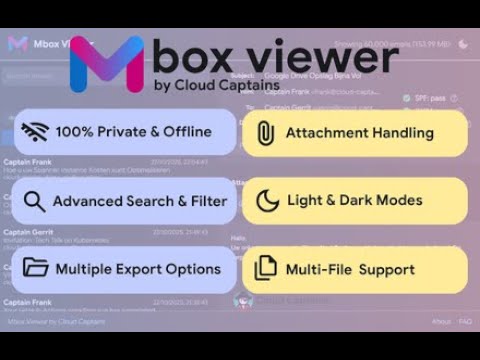
Mbox Viewer by Cloud Captains is the simple, secure, and completely private solution for reading email archives. It works 100% offline, right in your browser, so your data never leaves your computer. This tool was built for people who need a fast, reliable way to view Mbox archives without compromising on privacy. Whether you are opening a Google Takeout export, an old backup, or running an investigation on suspicious mail, the viewer gives you instant access with no setup. All features are free, with no ads, no trackers, and no hidden costs. Why Mbox Viewer? - Truly private: your files are processed locally. We never see, store, or transmit your data. - Works completely offline: the viewer functions without an internet connection. - Fast and powerful: opens large Mbox archives and entire folders with ease. - Simple and intuitive: drag and drop your file or folder to get started. Key features: - Drag and drop support for .mbox, .mbx, .eml, .emlx, Maildir and .mbox.gz archives. - Open an entire folder of Mbox files at once. - Gmail-style search operators: from, to, subject, has:attachment, before, after, larger, is:starred, filename, plus regex mode and saved searches. - Advanced filtering by date range, source file, attachments, starred and tags. - Clean email preview with inline attachment handling and external image blocking. - Forensic analysis tab with SPF, DKIM and DMARC verdicts, suspicion scoring on 9 signals, SHA-256 and MD5 hashes, Received-chain and a visual email route with TLS status and timing. - Multi-select with bulk export to EML, PDF, HTML, CSV, MBOX or a password-protected case file with AES-256 encryption. - Free text tags, stars, notes and saved searches, stored locally. - Tag and notes overview pages with bulk export. - Dark, light and system themes with high-contrast mode. - Keyboard shortcuts: j and k to navigate, Enter to open, a to select all, slash to search, s to star, t for tags, question mark for the guide. - Print friendly layout and export per email to PDF, EML or HTML. Built by Cloud Captains, a Google Workspace Partner. Learn more at https://cloud-captains.com. Questions, bugs or feedback please go to https://mbox-viewer.online/
4.2 out of 55 ratings
Details
- Version1.6.3
- UpdatedApril 24, 2026
- Size3.59MiB
- Languages11 languages
- DeveloperCloud CaptainsWebsite
Herenstraat 10A Den Haag 2511 EA NLEmail
support@cloud-captains.comPhone
+31 6 43011790 - TraderThis developer has identified itself as a trader per the definition from the European Union and committed to only offer products or services that comply with EU laws.
- D-U-N-S492623353
Privacy

This developer declares that your data is
- Not being sold to third parties, outside of the approved use cases
- Not being used or transferred for purposes that are unrelated to the item's core functionality
- Not being used or transferred to determine creditworthiness or for lending purposes
Support
For help with questions, suggestions, or problems, visit the developer's support site