


Overview
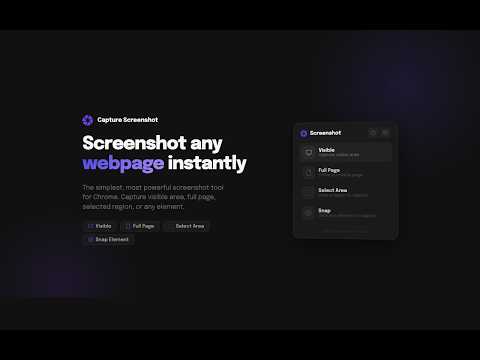
Simple & powerful screenshot tool — visible, full page, select area, and snap.
The simplest screenshot tool for Chrome. Capture, annotate, and download — all private and local. CAPTURE MODES • Visible — What you see right now • Full Page — Entire scrollable page • Select Area — Draw a region • Snap — Click any element ANNOTATE Draw, arrows, rectangles, and text labels with multiple colors. Undo with Ctrl+Z. EXPORT Download as PNG, JPG, or PDF. Copy to clipboard. Custom filenames. HISTORY Every capture saved automatically. Search by website. Multi-select and bulk download as ZIP. FULL PAGE — DONE RIGHT Handles sticky headers/footers. Configurable scroll speed and max slices. PRIVACY No account. No cloud. No tracking. Everything stays on your device. https://capturescreenshot.com
5 out of 51 rating
Details
- Version2.0.1
- UpdatedMarch 18, 2026
- Size112KiB
- LanguagesEnglish (United States)
- DeveloperMohd DanishWebsite
3, Zamzam colony Near Qila Nagla Patwari Aligarh, Uttar Pradesh 202001 INEmail
mddanishyusuf@gmail.comPhone
+91 81268 24285 - TraderThis developer has identified itself as a trader per the definition from the European Union and committed to only offer products or services that comply with EU laws.
Privacy

Capture Screenshot has disclosed the following information regarding the collection and usage of your data. More detailed information can be found in the developer's privacy policy.
Capture Screenshot handles the following:
This developer declares that your data is
- Not being sold to third parties, outside of the approved use cases
- Not being used or transferred for purposes that are unrelated to the item's core functionality
- Not being used or transferred to determine creditworthiness or for lending purposes
Support
For help with questions, suggestions, or problems, visit the developer's support site