


Overview
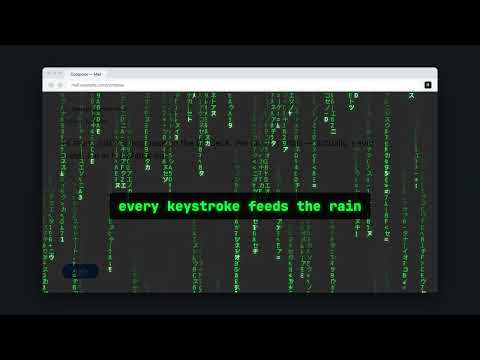
Turn your screen into the Matrix. Every keystroke spawns green characters raining down.
Ever wanted to feel like you're inside the Matrix? Now every key you press makes the screen come alive. Matrix Rain Keyboard overlays a full-screen "digital rain" on top of any web page. The moment you start typing, streaks of glowing green characters cascade down the screen — bright leading glyph, fading trail, the classic look. FEATURES • One-click ENABLE / DISABLE from the toolbar popup • Triggered by your keystrokes — type to make it rain • Click-through overlay: the page underneath stays fully usable • Remembers your last on/off state • Zero tracking, zero network calls, no data collection HOW TO USE 1. Install the extension 2. Goto and website 3. Click the extension icon and hit ENABLE. 4. Click anywhere on the page and start typing. 5. Watch the green rain roll. 6. Hit DISABLE when you're done. Note: Chrome blocks extensions from running on internal pages like chrome:// and the Web Store, so the effect won't appear there. Made for fun. Wake up, Neo.
1 out of 51 rating
Details
- Version1.0.0
- UpdatedSeptember 30, 2026
- Size20.15KiB
- LanguagesEnglish
- DeveloperSharaj RewooWebsite
Hinjawadi Phase 1 Rd Pune, Pimpri-Chinchwad, Maharashtra 411057 INEmail
srewoo@gmail.com - Non-traderThis developer has not identified itself as a trader. For consumers in the European Union, please note that consumer rights do not apply to contracts between you and this developer.
Privacy

This developer declares that your data is
- Not being sold to third parties, outside of the approved use cases
- Not being used or transferred for purposes that are unrelated to the item's core functionality
- Not being used or transferred to determine creditworthiness or for lending purposes
Support
For help with questions, suggestions, or problems, please open this page on your desktop browser