

WhatsApp Scraper, Media Downloader, Chat, Members Export by Mastros

Overview
WhatsApp Scraper — scrape, download & export. Save group members, contacts, phone numbers, messages, photos & videos to Excel.
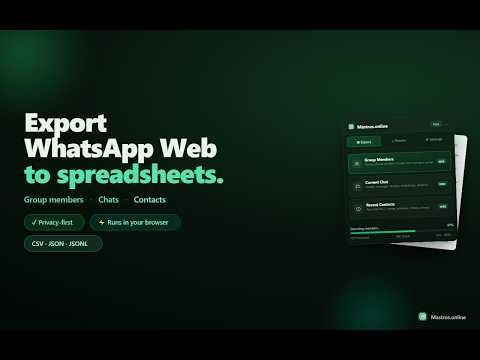
WhatsApp scraper and media downloader for exporting group members, recent contacts and chat messages to Excel, CSV or JSON — and for bulk downloading photos, videos, documents, voice notes and links as a ZIP. Scrape, download and export structured data directly from WhatsApp Web, entirely client-side in your browser. ━━━━━━━━━━━━━━━━━━━━━━━━ 🧩 FOUR SCRAPING MODES ━━━━━━━━━━━━━━━━━━━━━━━━ • Group Members — export the visible members of an open WhatsApp group, including name, phone number and role. • Chat Messages — export the loaded message history of the current conversation, including sender, timestamp, message text and available contact information. • Recent Contacts — export names, message previews and visible phone numbers from your WhatsApp Web chat list. • Bulk Media & Links Download — download the media of an open chat, group or channel as a single ZIP with a CSV manifest. ━━━━━━━━━━━━━━━━━━━━━━━━ 📥 BULK MEDIA DOWNLOAD ━━━━━━━━━━━━━━━━━━━━━━━━ Pick the types you want and the extension works out how to collect them: • Photos, videos, documents and links — gathered from WhatsApp Web's own Media, links & docs panel, selected in batches, without scrolling the conversation. • Voice notes and stickers — read from the conversation itself. • Everything lands in one ZIP, sorted into folders (photos, videos, voice, documents, stickers), alongside a CSV manifest with sender, time, caption and file name. • Links are collected into links.csv with the URL, page title and domain. • Set how many files of each type to download — photos, videos, documents and links each get their own budget. • Files stay out of your Downloads folder: bytes are captured and packed straight into the ZIP in your browser. ━━━━━━━━━━━━━━━━━━━━━━━━ ⚙️ WEB MODE ━━━━━━━━━━━━━━━━━━━━━━━━ • Reads only the information already loaded and rendered inside WhatsApp Web. • Zero setup, no API credentials and nothing to connect. • Uses human-paced reads and resilient selectors designed for WhatsApp Web. ━━━━━━━━━━━━━━━━━━━━━━━━ 📦 EXPORT YOUR WAY ━━━━━━━━━━━━━━━━━━━━━━━━ • Excel / CSV: open directly in Excel, Google Sheets, Airtable or any spreadsheet tool. • JSON / JSONL: structured data ready for scripts, pipelines, CRMs and AI tools. • ZIP: media files plus a CSV manifest, ready to archive or hand to a client. ━━━━━━━━━━━━━━━━━━━━━━━━ 🔒 PRIVACY FIRST ━━━━━━━━━━━━━━━━━━━━━━━━ ✓ Read-only — no messages sent, no contacts added and no bulk messaging. ✓ Client-side — extraction, download and export happen in your browser. ✓ Media files are packed into the ZIP on your device and never uploaded. ✓ Extracted data stays on your device until you choose to export it. ✓ No analytics are collected from your message content. ✓ Only anonymous product-usage metrics may be collected. ✓ Manifest V3 extension with client-side operation. ✓ You only access chats and groups you already have permission to view. ━━━━━━━━━━━━━━━━━━━━━━━━ 👤 WHO IS THIS FOR ━━━━━━━━━━━━━━━━━━━━━━━━ Sales, CRM, recruitment, community and operations teams that need to export WhatsApp group members, organize recent contacts, back up conversations or move their own WhatsApp Web data into spreadsheets and business tools — without copying everything manually. Also for anyone archiving a chat, group or channel: photographers, event and travel groups, project teams and families who want the shared photos, videos and documents saved in one place instead of tapping download on each one. ━━━━━━━━━━━━━━━━━━━━━━━━ 💳 PLANS ━━━━━━━━━━━━━━━━━━━━━━━━ Free to start with monthly export limits. Paid plans unlock higher limits for heavier exports — see current pricing in the extension. ━━━━━━━━━━━━━━━━━━━━━━━━ 🚀 GETTING STARTED ━━━━━━━━━━━━━━━━━━━━━━━━ 1. Install the extension and open WhatsApp Web at web.whatsapp.com. 2. Open the Mastros sidebar from the edge pill or the browser toolbar icon. 3. Open the chat or group you want to export. 4. Pick a mode, run it, and download the results as Excel, CSV, JSON or ZIP. ━━━━━━━━━━━━━━━━━━━━━━━━ 🔑 AUTHENTICATION INFORMATION ━━━━━━━━━━━━━━━━━━━━━━━━ No API credentials or external account connection are required. Mastros reads only the information that WhatsApp Web has already displayed in your active browser session. The extension does not use the WhatsApp API and has no background access to your account. ━━━━━━━━━━━━━━━━━━━━━━━━ ⚠️ IMPORTANT LIMITATIONS ━━━━━━━━━━━━━━━━━━━━━━━━ • Exports visible or loaded data only — hidden information is never revealed. • Phone numbers are included only when WhatsApp Web displays them. • Message exports are limited to the history currently loaded in the open conversation. • Media downloads cover what WhatsApp Web has already fetched from your phone. There is no full-history API, so a short export usually means a short slice has loaded — scroll back or open the Media panel first to load more. • Files above the per-file size limit you set are listed in the manifest but not packed. • The extension works only with chats and groups you already have access to. • Web Mode only — no WhatsApp API and no background account access. ━━━━━━━━━━━━━━━━━━━━━━━━ ⚖️ COMPLIANCE ━━━━━━━━━━━━━━━━━━━━━━━━ Not affiliated with, endorsed by, or connected to WhatsApp, Meta or any Meta product. You are responsible for the lawful use of exported data and for complying with applicable privacy laws and WhatsApp's terms. No bulk messaging, no auto-send and no auto-adding — Mastros only reads, downloads and exports data you can already see, using WhatsApp Web's own download controls on your behalf.
5 out of 544 ratings
Details
- Version1.6.6
- UpdatedAugust 26, 2026
- FeaturesOffers in-app purchases
- Size719KiB
- Languages52 languages
- DeveloperElias MahdaviWebsite
Località Sant'Elmo, SNC Castiadas, CA 09040 ITEmail
admin@mastros.onlinePhone
+39 349 828 0762 - TraderThis developer has identified itself as a trader per the definition from the European Union and committed to only offer products or services that comply with EU laws.
Privacy

WhatsApp Scraper, Media Downloader, Chat, Members Export by Mastros has disclosed the following information regarding the collection and usage of your data. More detailed information can be found in the developer's privacy policy.
WhatsApp Scraper, Media Downloader, Chat, Members Export by Mastros handles the following:
This developer declares that your data is
- Not being sold to third parties, outside of the approved use cases
- Not being used or transferred for purposes that are unrelated to the item's core functionality
- Not being used or transferred to determine creditworthiness or for lending purposes
Support
For help with questions, suggestions, or problems, please open this page on your desktop browser