

MarkMind
36 ratings
)
Overview
Transform your chaotic bookmarks into organized bliss with AI
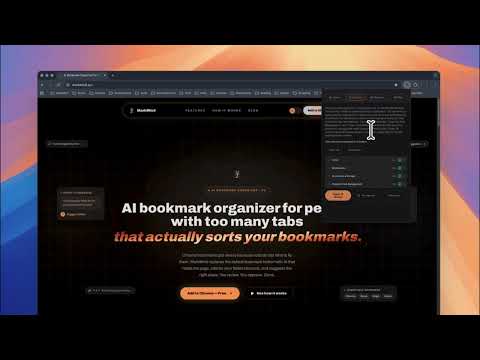
MarkMind v2 — AI Bookmark Organization, Reimagined We rebuilt MarkMind from the ground up. Version 2 brings a completely new interface, support for multiple AI providers, and bulk organization. Same mission: make your bookmarks actually useful again. WHAT'S NEW IN V2 - Support for 4 AI providers: Google Gemini, OpenAI (GPT), Anthropic (Claude), and OpenRouter - Completely redesigned interface built with React - Bulk organize: scan and sort hundreds of bookmarks at once - Smarter folder suggestions based on page content analysis HOW IT WORKS Visit any page, click MarkMind, and hit Organize. The AI reads the page content and suggests the best folder from your existing bookmark structure. You review, accept or decline. That's it. For bulk organization, head to the Organize tab, scan your bookmarks, select the ones you want sorted, and review all suggestions before applying. YOUR BOOKMARKS, YOUR RULES Every suggestion goes through you first. Nothing moves without your approval. MarkMind works with your existing folder structure — it doesn't try to reinvent how you organize things. CHOOSE YOUR AI Pick the provider you already use and trust: - Google Gemini (free tier works great for this) - OpenAI - Anthropic (Claude) - OpenRouter (access to dozens of models) Just bring your own API key and you're good to go. PRIVACY Your bookmarks never leave your browser. Only page titles and URLs are sent to your chosen AI provider for analysis. API keys are stored locally in Chrome. No analytics, no tracking, no accounts. The code is open source on GitHub if you want to verify. Website: https://markmind.xyz GitHub: https://github.com/migsilva89/MarkMind
4.9 out of 536 ratings
Details
- Version2.0.6
- UpdatedJune 25, 2026
- Offered bymsDev
- Size178KiB
- LanguagesEnglish
- Developer
Email
themarkmind@gmail.com - Non-traderThis developer has not identified itself as a trader. For consumers in the European Union, please note that consumer rights do not apply to contracts between you and this developer.
Privacy

MarkMind has disclosed the following information regarding the collection and usage of your data. More detailed information can be found in the developer's privacy policy.
MarkMind handles the following:
This developer declares that your data is
- Not being sold to third parties, outside of the approved use cases
- Not being used or transferred for purposes that are unrelated to the item's core functionality
- Not being used or transferred to determine creditworthiness or for lending purposes
Support
For help with questions, suggestions, or problems, visit the developer's support site