


Overview
Organize bookmarks, save tab sessions, and keep notes in a beautiful private workspace.
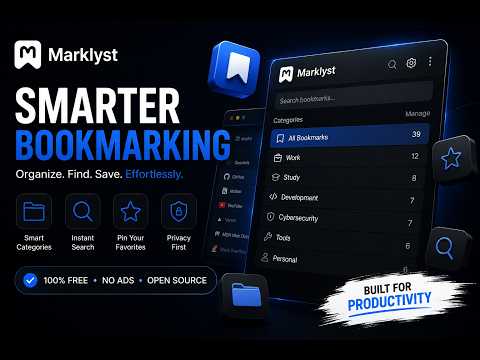
Marklyst turns every new tab into a premium, private workspace - beautifully organized, lightning fast, and entirely yours. Forget the chaos of scattered bookmarks and browser clutter. Marklyst gives you visual boards to organize links, a tab session saver, synced notes, and a stunning new tab page - all in one place, free forever. VISUAL BOOKMARK BOARDS Create named boards to group your links the way you think. Drag and drop boards to reorder them across up to four responsive columns. Each board shows site favicons and titles at a glance - no more hunting through a flat list of URLs. - Right-click any link or page to quick-save it - Open all links in a board at once - Copy all links from a board to your clipboard - Expand boards to reveal all saved bookmarks - Compact or comfortable card density - your preference PAGES - MULTI-WORKSPACE ORGANIZATION Create multiple pages to separate your work, personal life, projects, or hobbies. Switch between them instantly using the tab bar at the top. Each page has its own independent set of boards. TAB SESSION SAVER Heading out? Save your entire browser session in one click and restore it exactly as it was. Sessions are named, timestamped, and stored locally - your browsing history stays private. NOTES - BOOKMARK NOTES AND SITE NOTES Attach a personal note to any saved bookmark - context, reminders, or anything you need to remember about a link. Notes support tags for easy filtering. Website Notes lets you attach a floating sticky note to any webpage you visit. Your notes follow you across sessions and can sync to your account. BEAUTIFUL AND CUSTOMIZABLE Marklyst is designed to feel premium without costing a thing: - 4 gradient color themes: Lagoon, Aurora, Dusk, Midnight - 25+ curated built-in photo wallpapers (dark and light collections) - Upload your own custom wallpaper with Fit, Fill, or Stretch modes - Light, Dark, and system-matched themes - Adjustable board opacity and optional glass blur effect - Floating glass island header bar with a live clock - Dock position: right, left, or bottom - Privacy Blur - hide board contents until you hover PRIVACY FIRST - No ads, no tracking, no data selling - Guest mode: everything stored locally, no account needed - Cloud sync is opt-in only - Email verification protects your account - Incognito support: runs in split mode, never touches incognito data FREE FOREVER Every feature is free. No premium tier, no paywall, no trial. Marklyst is built to be a tool you can rely on without a subscription.
4.7 out of 53 ratings
Details
- Version0.1.1
- UpdatedSeptember 27, 2026
- Size2.72MiB
- LanguagesEnglish
- DeveloperWebsite
Email
support@marklyst.in - Non-traderThis developer has not identified itself as a trader. For consumers in the European Union, please note that consumer rights do not apply to contracts between you and this developer.
Privacy

Marklyst - Visual Bookmark & Tab Manager has disclosed the following information regarding the collection and usage of your data. More detailed information can be found in the developer's privacy policy.
Marklyst - Visual Bookmark & Tab Manager handles the following:
This developer declares that your data is
- Not being sold to third parties, outside of the approved use cases
- Not being used or transferred for purposes that are unrelated to the item's core functionality
- Not being used or transferred to determine creditworthiness or for lending purposes
Support
For help with questions, suggestions, or problems, visit the developer's support site