

Marketplace Assistant
3 ratings
)
Overview
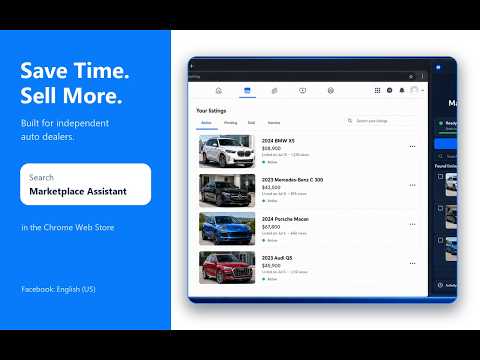
Copy your own Facebook Marketplace vehicle and item listings into new drafts for review, editing, and reposting.
🚗 Prepare Facebook Marketplace vehicle drafts without rebuilding every listing. Marketplace Assistant helps independent auto dealers and vehicle sellers bring their own inventory into a new Facebook Marketplace draft. Start from one of your active Marketplace listings, a supported vehicle website, a CSV file, or an accessible Google Sheet. Review the result and decide when it is ready to publish. ✨ What Marketplace Assistant can do • Find and copy your own active Facebook Marketplace vehicle listings. • Import supported vehicle data from CarGurus, Cars.com, CarsForSale, AutoTrader, and compatible dealer vehicle pages. • Import inventory rows from a CSV file or an accessible Google Sheet. • Copy available VIN, year, make, model, trim, mileage, price, description, location, condition, colors, fuel type, transmission, body type, and other supported fields. • Transfer up to 20 available original vehicle photos. • Prepare a separate Facebook Marketplace vehicle draft for review. • Keep a local draft queue, progress log, operation history, and retry information. • Provide an interface in English, Spanish, and Russian. ✅ Simple workflow 1. Set Facebook to English (US). 2. Open Marketplace Assistant. 3. Choose one of your own Facebook listings or import an inventory source. 4. Select the vehicle you want to prepare. 5. Let the extension copy the supported information and available photos. 6. Review every field and photo in the new Facebook draft. 7. Edit anything that changed, then press Publish yourself. 🔒 You remain in control Marketplace Assistant does not ask for your Facebook password and never publishes or deletes listings automatically. It does not message buyers or negotiate on your behalf. Final publication, editing, and deletion confirmations remain with you. Website access is optional and requested only when you choose an inventory source. Imported vehicle information, source URLs, queues, and photos are used for the requested local workflow and are not uploaded to a Marketplace Assistant inventory database. ℹ️ Requirements and limitations • Google Chrome 114 or newer. • A signed-in Facebook account. • Facebook set to English (US) for draft creation. • Use only inventory and photographs you own or are authorized to use. • Available fields and photos vary by source. • Up to 20 available original photos can be transferred. • Videos are not transferred. • Every completed draft must be reviewed before publication. Marketplace Assistant does not guarantee listing placement, views, messages, or sales. Facebook controls Marketplace distribution. Marketplace Assistant is currently free to use. Users may optionally support continued development through the Donate button. Marketplace Assistant is independent and is not affiliated with or endorsed by Meta, Facebook, CarGurus, Cars.com, CarsForSale, AutoTrader, or Google.
5 out of 53 ratings
Details
- Version2.60.0
- UpdatedAugust 11, 2026
- Offered bymarketplaceassistant6
- Size150KiB
- LanguagesEnglish
- DeveloperP/P Studio
1113 SE Chelsea Ave Vancouver, WA 98664-1607 USEmail
marketplaceassistant6@gmail.com - Non-traderThis developer has not identified itself as a trader. For consumers in the European Union, please note that consumer rights do not apply to contracts between you and this developer.
Privacy

Marketplace Assistant has disclosed the following information regarding the collection and usage of your data. More detailed information can be found in the developer's privacy policy.
Marketplace Assistant handles the following:
This developer declares that your data is
- Not being sold to third parties, outside of the approved use cases
- Not being used or transferred for purposes that are unrelated to the item's core functionality
- Not being used or transferred to determine creditworthiness or for lending purposes