

MarkdownLive — View & Edit Markdown

Overview
Beautiful Markdown viewer and editor with live preview, syntax highlighting, export options, and more.
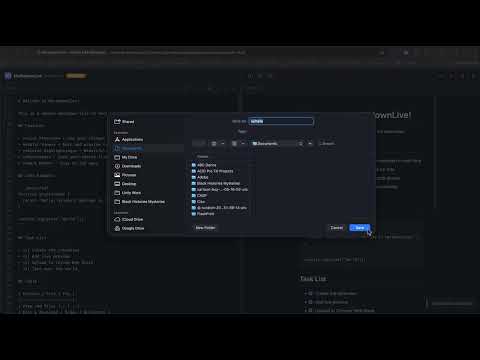
MarkdownLive transforms any Markdown file into a beautiful, live-rendered document ,right in your browser. Whether you're opening a local .md file, browsing a GitHub raw file, or writing from scratch, MarkdownLive gives you a clean, distraction-free environment with real-time preview. Key Features Instant Rendering — Markdown files are automatically detected and rendered with full GitHub-Flavored Markdown (GFM) support, including tables, task lists, and fenced code blocks. Live Split Editor — Write on the left, preview on the right. Changes render in real time as you type. Syntax Highlighting — Code blocks are beautifully highlighted across dozens of programming languages. Export Options — Export your document as HTML, plain text, or PDF with a single click. Drag & Drop — Drop any .md file directly onto the viewer to open it instantly. Light & Dark Themes — Automatic theme detection or manual toggle to match your preference. Formatting Toolbar — Quick-insert bold, italic, code, links, headings, lists, and tables without memorizing syntax. Keyboard Shortcuts — Full shortcut support: Ctrl+B, Ctrl+I, Ctrl+K, Ctrl+S, Ctrl+O, and more. Resizable Panels — Drag the divider to customize your editor/preview split. Download & Save — Save your edited Markdown back to disk at any time. Supported Formats .md · .markdown · .mdown · .mkdn · .mdx Privacy First MarkdownLive works entirely locally. No data is sent to any server. Your files never leave your browser.
0 out of 5No ratings
Details
- Version1.0.0
- UpdatedApril 19, 2026
- Offered byPayneBrain
- Size136KiB
- LanguagesEnglish
- DeveloperPayne Brain
0000 Longbow Rd King George, VA 22485 USEmail
carlton.payne@hotmail.com - Non-traderThis developer has not identified itself as a trader. For consumers in the European Union, please note that consumer rights do not apply to contracts between you and this developer.
Privacy

This developer declares that your data is
- Not being sold to third parties, outside of the approved use cases
- Not being used or transferred for purposes that are unrelated to the item's core functionality
- Not being used or transferred to determine creditworthiness or for lending purposes