

Overview
Privacy-first Web to Markdown converter
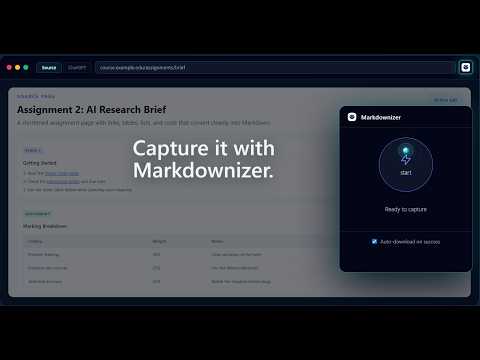
Markdownizer turns the current webpage into clean Markdown so you can give your preferred LLM better context than raw copy-paste, noisy HTML, screenshots, or a bare URL. It is built for students, developers, researchers, writers, and AI power users who need page structure to survive the trip from browser to prompt. Use it for assignment briefs, documentation pages, articles, research pages, API docs, grading rubrics, and pages with useful tables, lists, links, and code blocks. What Markdownizer does: - Converts the active page into Markdown on demand - Preserves useful structure like headings, lists, tables, links, and code blocks - Copies the Markdown to your clipboard - Lets you download the result as a .md file - Works from the current tab when you choose to run it - Helps when copy-paste flattens structure - Helps when an LLM cannot access a private or logged-in URL - Gives text-first context instead of relying on screenshot interpretation Privacy-by-design approach: Markdownizer tokenizes readable page text locally in your browser before conversion. The backend receives a structural page skeleton for conversion, not the page's readable body text as readable text. The returned Markdown skeleton is rehydrated locally in your browser. Operational analytics are limited to running and improving the service. Markdownizer does not store readable page text, final Markdown output, full page URLs, or raw HTML skeletons in analytics. How to use: 1. Open the page you want to convert. 2. Click the Markdownizer extension icon. 3. Press start. 4. Copy the clean Markdown or download a .md file. 5. Paste it into ChatGPT, Claude, Gemini, your notes app, or your coding workflow.
5 out of 52 ratings
Details
- Version1.0.1
- UpdatedJune 4, 2026
- Size1.02MiB
- LanguagesEnglish
- DeveloperWebsite
Email
support@markdownizer.thambolo.com - Non-traderThis developer has not identified itself as a trader. For consumers in the European Union, please note that consumer rights do not apply to contracts between you and this developer.
Privacy

Markdownizer has disclosed the following information regarding the collection and usage of your data. More detailed information can be found in the developer's privacy policy.
Markdownizer handles the following:
This developer declares that your data is
- Not being sold to third parties, outside of the approved use cases
- Not being used or transferred for purposes that are unrelated to the item's core functionality
- Not being used or transferred to determine creditworthiness or for lending purposes