

Markdown Paste Converter

Overview
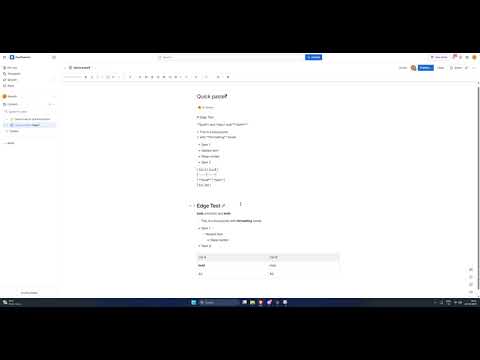
Converts markdown to the target site's format on paste.
Here’s a clean SEO-focused description you can use. --- ## Short Description (for store listing) Paste Markdown into Confluence and get fully formatted content instantly. Supports headings, lists, code blocks, tables, and Mermaid diagrams. --- ## Full Description Write in Markdown. Paste into Confluence Cloud. Get clean, formatted content automatically. This extension converts Markdown on paste into Confluence-ready formatting. No manual edits. No external tools. --- ### What it does When you paste Markdown into a Confluence page, the extension: * Detects Markdown in your clipboard * Converts it into structured format (ADF) * Inserts properly formatted content into the editor --- ### Supported features * Headings (`#`, `##`, etc.) * Bullet and numbered lists * Code blocks (including syntax highlighting) * Tables * Blockquotes * Bold and italic text * Mermaid diagrams (as code blocks) --- ### Why use this Confluence does not support Markdown paste well. This fixes that. * Saves time formatting content * Keeps your workflow simple * Works directly inside the editor --- ### How it works * Intercepts paste events in Confluence * Converts Markdown → structured document format * Injects formatted content into the editor --- ### Use cases * Engineering docs * Meeting notes * Technical design docs * Copying from GitHub, Notion, or README files --- ### Privacy * No data is collected * No network requests are made * Everything runs locally in your browser --- ### Notes * Works on Confluence Cloud (`*.atlassian.net`) * Requires Markdown-style input to trigger conversion --- If you write in Markdown and use Confluence, this removes the friction.
0 out of 5No ratings
Details
- Version1.1.0
- UpdatedApril 19, 2026
- Size24.6KiB
- LanguagesEnglish
- Developer
Email
skandaprasad98@gmail.com - Non-traderThis developer has not identified itself as a trader. For consumers in the European Union, please note that consumer rights do not apply to contracts between you and this developer.
Privacy

This developer declares that your data is
- Not being sold to third parties, outside of the approved use cases
- Not being used or transferred for purposes that are unrelated to the item's core functionality
- Not being used or transferred to determine creditworthiness or for lending purposes