

Markdown Formatter

Overview
Quickly format selected text with markdown syntax
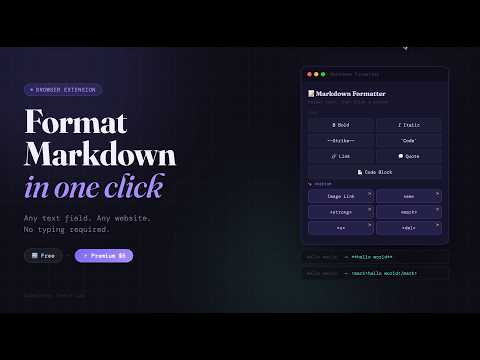
Markdown Formatter adds a small popup to your browser toolbar that instantly wraps your selected text in Markdown or HTML syntax — no typing, no copy-pasting, no context switching. Select any text in a textarea, input field, or content-editable area, then click a button. Done. FREE FEATURES ────────────────────────── Bold → text Italic → text Strikethrough → text Inline code → text Code block Blockquote Link Keyboard shortcuts: Ctrl+B (bold), Ctrl+I (italic) ────────────────────────── PREMIUM FEATURES (one-time unlock) ────────────────────────── Linked image → Show Image <em> — semantic italic <strong> — semantic bold <mark> — highlighted text <del> — semantic strikethrough <u> — underlined text Premium is unlocked with a one-time licence key purchase — no subscription, no account required. ────────────────────────── WORKS GREAT ON ────────────────────────── Any site with a standard text field. ────────────────────────── PRIVACY ────────────────────────── No data is collected or transmitted Licence verification is a single call to Gumroad's API — nothing else leaves your browser No analytics, no tracking. Made by SimpleFox Indie Lab.
0 out of 5No ratings
Details
- Version1.2
- UpdatedAugust 15, 2026
- Offered bySimpleFox Indie Lab
- Size19.18KiB
- LanguagesEnglish
- Developer
Email
carlosaandresmunoz@gmail.com - Non-traderThis developer has not identified itself as a trader. For consumers in the European Union, please note that consumer rights do not apply to contracts between you and this developer.
Privacy

This developer declares that your data is
- Not being sold to third parties, outside of the approved use cases
- Not being used or transferred for purposes that are unrelated to the item's core functionality
- Not being used or transferred to determine creditworthiness or for lending purposes
Support
For help with questions, suggestions, or problems, please open this page on your desktop browser