

Markdown Anywhere
4 个评分
)
概述
Distraction-free Markdown editing for the web
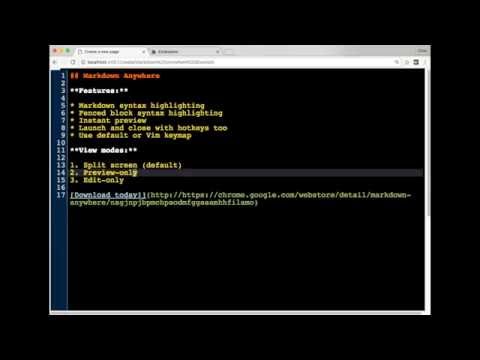
This extension launches a full-page syntax-aware Markdown editor, with instant preview, for any plain textarea on the web. Default or Vim keymaps are supported. Usage: While on a page with a plain textarea, activate the editor with Alt-Shift-H. When finished, hit the button or keyboard shortcut again. If you prefer vim, you can turn it on in Options. While in vim mode, :q or :wq will close the editor. You also always close the editor with the same keyboard shortcut you used to launch it. Hit the other keyboard shortcut (Alt-Shift-L) to toggle instant preview on and off. Save/restore functionality: If you you vim keybindings, the command sequence :w will save a copy of the current editor buffer, in case you need to restore it. There is a history of saves, accessible via Ctrl-1, Ctrl-2, etc. The most recent save always gets pushed onto the Ctrl-1 buffer, moving the previously stored one to Ctrl-2, and so on. This can be used across Markdown Anywhere sessions, and helps in case the server loses your change due to network outage, etc.. Tip: You can change the keyboard shortcuts to whatever you want. See the "Keyboard Shortcuts" link at the bottom of your extensions list in Chrome. Note: This extension is designed to work primarily with *plain* textareas that don't already have rich text editing capabilities. Using it on already-rich textareas, such as those found on Github, is not supported. Attributions: The author would like to acknowledge the following artists for making their work available for public use: * Demo video background music by bensound: http://www.bensound.com/ * Promo image background (modified), by scienceatlife: https://www.flickr.com/photos/scienceatlife/ licensed under https://creativecommons.org/licenses/by-nc-sa/2.0/
5 星(5 星制)4 个评分
详情
- 版本1.7.1
- 上次更新日期2021年12月10日
- 提供方Chris Wilper
- 大小732KiB
- 语言English (United States)
- 开发者
邮箱
cwilper@gmail.com - 非交易者该开发者尚未将自己标识为交易者。欧盟地区消费者须知:消费者权利可能不适用于您与该开发者达成的合约。
隐私权
该开发者已声明,您的数据:
- 不会因未获批准的用途出售给第三方
- 不会为实现与产品核心功能无关的目的而使用或转移
- 不会为确定信用度或放贷目的而使用或转移