

Three Slicer — 3D printing slicer

Overview
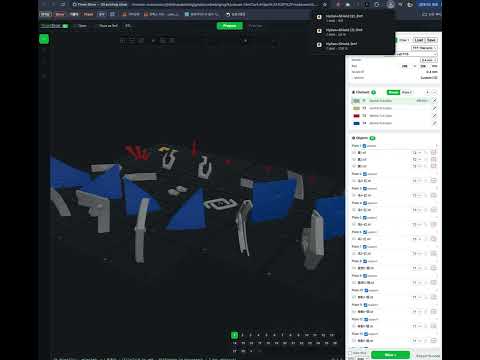
Open STL, 3MF, OBJ, STEP and G-code files in a full 3D printing slicer that runs in the browser. Nothing is uploaded.
Three Slicer — 3D Printing in Your Browser Open 3D models and prepare them for printing directly in your browser, powered by OrcaSlicer and WebAssembly. Three Slicer connects your browser to a full-featured 3D printing slicer without requiring desktop slicing software. Features Open STL, 3MF, OBJ, STEP, and G-code files. Open downloaded 3D models directly in Three Slicer. Right-click supported model links to open them in the slicer. Open models from Thingiverse using a dedicated shortcut. Configure slicing settings, including supports, infill, and walls. Preview layers and toolpaths before printing. Generate and export G-code using the OrcaSlicer engine. Process 3D models locally in your browser using WebAssembly. Why use Three Slicer? No desktop slicer installation required. Three Slicer is useful when working on shared computers, Chromebooks, or devices where installing conventional slicing software is inconvenient. Your models are processed locally rather than being uploaded to a remote slicing server. Open Source Three Slicer is an open-source project under active development. Website: https://slicer.kimgh06.com/ Source Code: https://github.com/kimgh06/Three_Slicer License: AGPL-3.0-or-later
0 out of 5No ratings
Details
- Version0.1.0
- UpdatedOctober 30, 2026
- Offered bykkh061101@gmail.com
- Size7.63MiB
- LanguagesEnglish
- Developer
Email
kkh061101@gmail.com - Non-traderThis developer has not identified itself as a trader. For consumers in the European Union, please note that consumer rights do not apply to contracts between you and this developer.
Privacy

This developer declares that your data is
- Not being sold to third parties, outside of the approved use cases
- Not being used or transferred for purposes that are unrelated to the item's core functionality
- Not being used or transferred to determine creditworthiness or for lending purposes