

re:note - Side Panel Notes, Tasks & Reminders

Overview
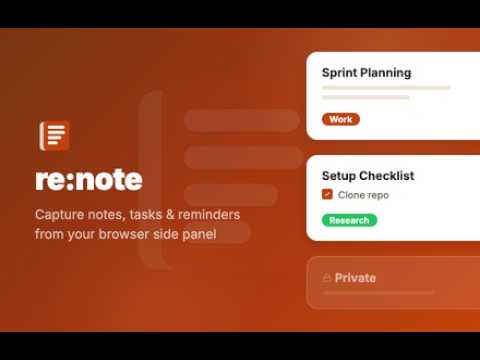
Side panel notepad: notes that stick to any web page, to-do lists & reminders. Offline, no account. Stacks, PIN lock, CSV export.
re:note is a notepad that lives in Chrome's side panel. Write a note on any web page and it stays attached to that page, so when you come back next week your notes are already open beside it. No tab switching, no separate app, no account. Use it for quick notes, to-do lists and reminders while you browse: candidate notes on LinkedIn profiles, call notes next to your CRM, quotes and sources while you research, action items on a pull request, or a shopping list on a recipe. NOTES THAT STICK TO THE PAGE - "This Page" shows only the notes for the tab you are on. "All Notes" shows everything. - A counter on the "This Page" tab shows how many notes the current page has. - Every note keeps the page title, address and icon. Click it to jump back to the page. - Notes are there again whenever you return to the page, even months later. A REAL EDITOR, NOT A TEXT BOX - Headings, bold, italic, underline, strikethrough, adjustable text size - Bullet and numbered lists, blockquotes, dividers - Code blocks and inline code - Links are detected automatically - A formatting toolbar appears when you select text - Drafts are saved as you type TO-DO LISTS - Add checkboxes to any note - Finished tasks move to the bottom on their own - Nest sub-tasks under a parent task - Reorder tasks with Alt + Up / Alt + Down - Filter your notes down to the ones with open to-dos REMINDERS - Set a reminder on any note: in 15 minutes, 1 hour, 3 hours, tomorrow morning or evening, next Monday, or any date and time - A browser notification appears when it is due. Click it to open the page and the note together. - Filter notes by active, past due or finished reminders STACKS, SEARCH AND FILTERS - Group notes into color-coded stacks: one per project, client, course or open role - Unlimited stacks, 12 colors - Search across all notes as you type - Filter by website to see only your LinkedIn notes or only your GitHub notes - Group the list by site or by stack HIGHLIGHTS AND RIGHT-CLICK CAPTURE (OPTIONAL) Turn on Web Annotations in Settings to capture straight from the page: - Highlight text in five colors. The highlight is still there when you come back. - Hover over an image to pin it into a note - Right-click to save a selection, an image or the whole page to re:note - Every highlight links back to the exact place on the page This is opt-in. Chrome asks for site access only when you switch it on, and you can switch it off again at any time. PRIVATE BY DESIGN - Your notes are stored on your device, in your browser's own database. They are never uploaded. - No account, no cloud sync, no ads - Works without an internet connection - Installs with no access to the websites you visit. re:note only reads a page's title, address and description, and only so your note can attach to it. - Lock sensitive notes with a PIN (4 or more characters, with an optional hint). Locked notes show a title and hide their content. The PIN is also required to export them. - re:note counts anonymous feature usage, such as "a note was created", to guide development. It never includes note content, page addresses or anything that identifies you, and you can turn it off in Settings > Privacy. EXPORT YOUR DATA Export to CSV whenever you like: all notes or selected stacks. The file opens in Excel, Google Sheets or Numbers and includes title, content, page address, site, stack, dates, reminder and lock status. MAKE IT YOURS Six themes (Chrome, Ink, Nord, Rose, Sage, Mocha), each with light, dark and automatic modes. KEYBOARD SHORTCUTS - Alt + Shift + S: open or close re:note - Alt + Shift + N: new note - Ctrl/Cmd + Enter: save the note - Escape: close the editor You can change the first two at chrome://extensions/shortcuts. GETTING STARTED 1. Add re:note to Chrome. 2. Click "Open re:note" on the welcome page, or click the re:note icon in your toolbar. 3. Pick a theme in the short setup guide. 4. Start writing. Your note is attached to the page you are on. Tip: pin re:note to the toolbar (puzzle icon, then the pin) so it is always one click away. re:note is free and built by one developer. Questions, bugs and ideas are welcome on the Support tab.
5 out of 54 ratings
Details
- Version1.0.0
- UpdatedSeptember 21, 2026
- Size1.46MiB
- LanguagesEnglish (United States)
- DeveloperWebsite
Email
seminalkic@gmail.com - Non-traderThis developer has not identified itself as a trader. For consumers in the European Union, please note that consumer rights do not apply to contracts between you and this developer.
Privacy

re:note - Side Panel Notes, Tasks & Reminders has disclosed the following information regarding the collection and usage of your data. More detailed information can be found in the developer's privacy policy.
re:note - Side Panel Notes, Tasks & Reminders handles the following:
This developer declares that your data is
- Not being sold to third parties, outside of the approved use cases
- Not being used or transferred for purposes that are unrelated to the item's core functionality
- Not being used or transferred to determine creditworthiness or for lending purposes
Support
For help with questions, suggestions, or problems, please open this page on your desktop browser