

MakerFlow - Hands-Free Voice Navigation for Instructables

Overview
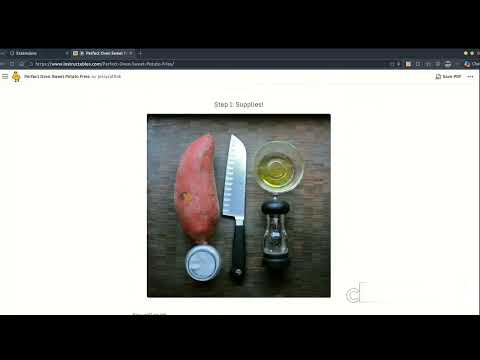
Hands-free for Instructables. Navigate Instructables tutorials with voice commands - perfect for hands-free crafting and making.
MakerFlow - Hands-Free Voice Navigation for Instructables Navigate Instructables tutorials with voice commands — keep your hands on your projects, not your mouse. MakerFlow brings hands-free voice navigation to Instructables.com, the leading platform for DIY projects, crafts, and maker tutorials. Perfect for woodworkers, crafters, artisans, and DIY enthusiasts who need to keep their hands busy while following step-by-step instructions. 🎙️ Features • Voice-Controlled Navigation — Move through steps, scroll, open images, and navigate with simple voice commands like "next step", "previous", "scroll down", "open image", and more • Works Everywhere on Instructables — Automatically activates on any Instructables project page • Floating Microphone UI — Discreet pulsing button shows when voice control is active, with temporary display of your last recognized command • Multiple Language Support — English (US), Chinese (CN), or auto-detect based on your browser language • Visual Feedback — Pulsing animation when listening, clear command recognition • Free Tier — 15 voice commands per day for casual makers • Premium Subscription — Unlimited commands with a one-time $9.99 lifetime purchase • Built for Modern Chrome — Uses the latest Manifest V3 architecture for performance and security 🛠️ Who Is This For? • DIY Makers & Builders — Keep working on your project without stopping to scroll or click • Woodworkers & Craftors — Hands covered in glue, paint, or sawdust? Just use your voice • Teachers & Workshop Leaders — Demonstrate techniques while navigating instructions • Accessibility Users — Navigate comfortably with voice control instead of mouse or keyboard • Anyone Following Instructables Tutorials — Get an easier hands-free experience 📖 How to Use 1. Install MakerFlow from the Chrome Web Store 2. Navigate to any Instructables.com project page 3. Click the extension icon and toggle "Enable Microphone" 4. Grant microphone permission when prompted 5. Start using voice commands to navigate hands-free! 💡 Key Benefits • Stay Focused on Your Project — No more drying your hands just to click next • Improved Safety — Keep your focus on your tools and materials • Faster Workflow — Seamless voice control means faster project completion • Better Accessibility — Alternative navigation for users with limited dexterity • Works With Any Instructables Project — From simple crafts to complex woodworking Whether you're building furniture, knitting a scarf, soldering electronics, or following any Instructables tutorial, MakerFlow gives you the convenience of hands-free voice navigation. Stop touching your screen with dirty hands and start enjoying a truly maker-friendly workflow. Download MakerFlow today and make your Instructables experience flow smoother with voice control.
0 out of 5No ratings
Details
- Version1.0.2
- UpdatedApril 12, 2026
- Offered bypandahi.ltd
- Size91.89KiB
- Languages2 languages
- Developer
Email
pandahi.ltd@gmail.com - Non-traderThis developer has not identified itself as a trader. For consumers in the European Union, please note that consumer rights do not apply to contracts between you and this developer.
Privacy

This developer declares that your data is
- Not being sold to third parties, outside of the approved use cases
- Not being used or transferred for purposes that are unrelated to the item's core functionality
- Not being used or transferred to determine creditworthiness or for lending purposes