

MainWP Browser Extension

Обзор
Companion for your MainWP Dashboard — monitor site updates, time, and costs. Connects to your self-hosted Dashboard.
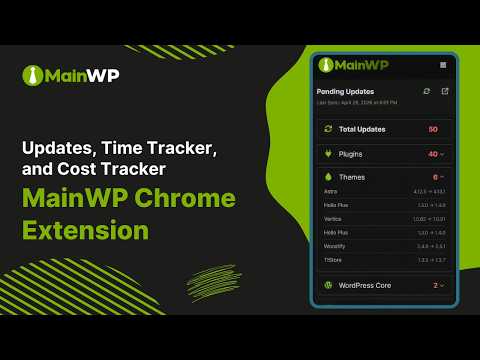
The MainWP Chrome extension brings your MainWP Dashboard into your browser toolbar. Open the popup to see updates across your child sites, the timer you forgot to stop yesterday, and the licenses about to expire next week, all without keeping a Dashboard tab open. MainWP is a self-hosted WordPress management platform: one Dashboard you run on your own server to control all your child sites. The extension talks only to your Dashboard, never to MainWP servers. Time Tracker and Cost Tracker are new in version 3.0, joining the original update monitoring. Updates monitoring shows WordPress core, plugin, theme, and translation updates across every connected child site. The extension polls your Dashboard on the schedule you set, anywhere from every 15 minutes to once a day, and shows the count on the toolbar badge. It also surfaces non-MainWP changes (anything modified directly on a child site outside the Dashboard) so you notice when someone has been clicking around in production. Click any update and you land on the right Dashboard page. Time Tracker lets you start, pause, resume, and stop tasks from the popup. Timers persist across browser restarts and survive service-worker sleep. The extension icon shows a live timer badge while a task is running. Cost Tracker rolls up per-site costs and license expirations into a single view. Licenses expiring within 7 days are flagged urgent, those within 30 days are flagged as warnings, so you can renew before something goes dark. A daily refresh keeps the numbers current. Works in Chrome and other Chromium-based browsers, including Edge, Brave, Arc, Vivaldi, and Opera. ➤ How it Works Open your MainWP Dashboard and go to the REST API screen in the left menu. Click Add API Keys, name them something like "Browser extension keys," and confirm the Enable REST API key toggle is on. On Dashboard 5.2 or newer, the extension uses a Bearer token; older Dashboards fall back to Consumer Key plus Consumer Secret. Copy the credentials from the Dashboard, paste them into the extension popup, save on both sides, and you're connected. ➤ Permissions The extension requests alarms, storage, and notifications. Alarms drive the periodic update sync and the daily cost refresh. Storage holds your Dashboard URL, preferences, cached counts, and (in chrome.storage.local only, never synced) your authentication credentials. Notifications surface new updates, timer state changes, license expirations, and sync errors, with dedup and rate limits tuned per category so a flaky connection doesn't spam you. Host permissions are requested at runtime only for the Dashboard URL you configure. ➤ Privacy Credentials are stored locally and only ever sent to the MainWP Dashboard you configure, over HTTPS. Nothing is sent to MainWP servers or any third party. By installing the extension, you agree to: https://mainwp.com/terms-of-service/ https://mainwp.com/privacy-policy/mainwp-chrome-extension-privacy-policy/ ➤ Support Setup guide: https://docs.mainwp.com/advanced/miscellaneous/mainwp-browser-extensions Community forum: https://community.mainwp.com/
3 из 58 оценок
Подробности
- Версия3.0.0
- Обновлено12 мая 2026 г.
- Размер725KiB
- ЯзыкиEnglish
- РазработчикSick Marketing LLCСайт
2928 Taton Trce New Smyrna Beach, FL 32168 USЭлектронная почта
support@mainwp.comТелефон
+1 407-402-4112 - ПродавецЭтот разработчик заявил, что является продавцом согласно определению Европейского Союза, и взял на себя обязательство предлагать только товары и услуги, соответствующие законодательству ЕС.
Конфиденциальность

Разработчик "MainWP Browser Extension" предоставил указанные ниже сведения о сборе и использовании ваших данных. Подробную информацию вы найдете в правилах разработчика: privacy policy.
В продукте "MainWP Browser Extension" обрабатываются следующие типы данных:
Этот разработчик утверждает, что ваши данные:
- Не продаются третьим лицам, за исключением разрешенных вариантов использования
- Не используются и не передаются в целях, не связанных с работой основных функций продукта
- Не используются и не передаются для определения платежеспособности или в целях кредитования
Поддержка
Сообщить об ошибках в работе приложения, задать вопрос или поделиться идеями можно на сайте разработчика.