

MailTwig – Export Emails, AI Data Parsing & Mail Merge
5 ratings
)
Overview
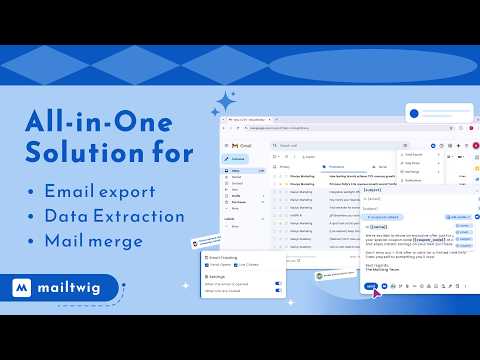
Export emails, parse emails, and Mail merge — all inside Gmail.
✨ Key Features ✔ Email Export Export essential email data—recipients, subject lines, timestamps, message bodies—directly from Gmail in CSV or Excel format. Perfect for reporting, CRM updates, analytics, or backups. ✔ AI-Powered Data Extraction ◦ Automatically extract: ◦ Phone numbers ◦ Email addresses ◦ Names ◦ Mailing addresses ◦ Important entities and keywords ◦ Anything else your workflow needs ◦ Works on long email threads, forms, confirmations, inquiries, and orders. ✔ Advanced Email Parsing Accurately parse: ◦ Signatures ◦ Replies ◦ Forwarded content ◦ Nested email threads ◦ HTML-heavy emails ◦ Cleaner results → better automation. ✔ Mail Merge Support Send personalized emails at scale. Merge your exported Gmail data with templates to send custom bulk emails directly from Gmail. Use cases: Sales outreach, recruiting, follow-ups, newsletters, updates, confirmations. 🚀 Why MailTwig? ◦ AI-powered accuracy ◦ Works entirely inside Gmail ◦ Clean, fast, and lightweight ◦ Zero coding needed ◦ Free plan available 🔒 Privacy First MailTwig only processes email data to perform the features you choose. No data is stored, sold, or shared with third parties.
5 out of 55 ratings
Details
- Version2.8.0
- UpdatedMarch 21, 2026
- Offered byTabgraf
- Size1.63MiB
- LanguagesEnglish (United States)
- DeveloperTabgraf Technologies LLP
Plot No F-27, Lane No 13 Nandighosh Habitat, BJB Nagar Bhubaneswar, Odisha 751014 INEmail
support@tabgraf.comPhone
+91 97781 88086 - TraderThis developer has identified itself as a trader per the definition from the European Union and committed to only offer products or services that comply with EU laws.
Privacy

MailTwig – Export Emails, AI Data Parsing & Mail Merge has disclosed the following information regarding the collection and usage of your data. More detailed information can be found in the developer's privacy policy.
MailTwig – Export Emails, AI Data Parsing & Mail Merge handles the following:
This developer declares that your data is
- Not being sold to third parties, outside of the approved use cases
- Not being used or transferred for purposes that are unrelated to the item's core functionality
- Not being used or transferred to determine creditworthiness or for lending purposes
Support
For help with questions, suggestions, or problems, visit the developer's support site