

Mail Lens - AI Email Summary for Gmail

Overview
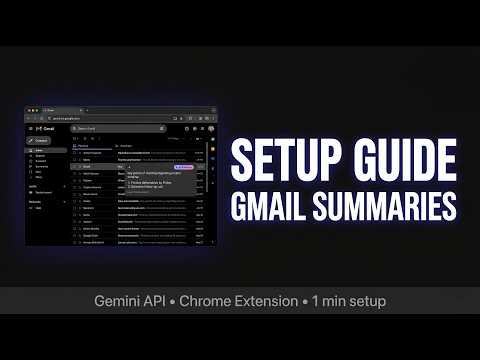
Point at any email in Gmail to instantly see an AI summary and priority tag. Read less. Know more.
Mail Lens — AI-Powered Gmail Intelligence Stop opening emails just to find out they don't matter. Mail Lens uses Google's Gemini AI to analyze your inbox in real time, so you always know what needs your attention before you click. Hover to Preview — Instant AI Summaries Just hover over any email in your inbox. Mail Lens surfaces a 2–3 sentence summary, the sender's intent (e.g., "Requesting approval", "Action required", "FYI"), and an estimated read time — all without opening the email. No more context-switching. No more clicking into threads that turn out to be newsletters. Smart Tags — Your Inbox, Finally Organized Mail Lens automatically classifies every email with an AI-generated label: Follow-up Decision needed Invoice Meeting Urgent Waiting on reply Newsletter FYI Tags appear as colored chips next to subject lines. A smart filter panel in Gmail's sidebar lets you view all emails of a given type with one click. Turn Emails Into Calendar Events When an email contains a meeting, deadline, or appointment, Mail Lens adds an "Add to Calendar" button directly in the email toolbar. One click extracts the date, time, title, and attendees into a pre-filled form. Confirm, and the event is added to your Google Calendar — without leaving Gmail. Private by Design No backend servers. All AI calls go directly from your browser to Google's Gemini API using your own key. Your emails are never stored or transmitted to third parties. Summaries are cached locally in your browser for 24 hours, keyed by message ID. Getting Started Install Mail Lens Click the extension icon and enter your Gemini API key (free at aistudio.google.com) Sign in with Google to enable Calendar integration Open Gmail — that's it Mail Lens is built for people who get too much email and don't have time to read it all.
0 out of 5No ratings
Details
- Version1.2.6
- UpdatedMay 31, 2026
- FeaturesOffers in-app purchases
- Offered byjnhorta2005
- Size131KiB
- LanguagesEnglish
- Developer
Email
jnhorta2005@gmail.com - Non-traderThis developer has not identified itself as a trader. For consumers in the European Union, please note that consumer rights do not apply to contracts between you and this developer.
Privacy

This developer declares that your data is
- Not being sold to third parties, outside of the approved use cases
- Not being used or transferred for purposes that are unrelated to the item's core functionality
- Not being used or transferred to determine creditworthiness or for lending purposes