


개요
Press on the toolbar button to see the magnifying glass on the current page.
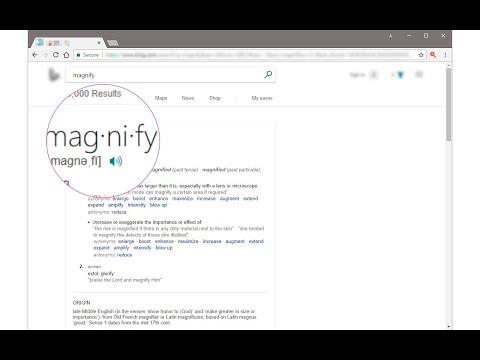
Magnifying Glass (Hover Zoom) is a lite addon that enables you to magnify a portion of a webpage with a click of a button. Please click on the toolbar button once to see the magnifying glass. Then move your mouse to see the magnified page within a circular section. If you want to hide the magnifier, simply click on the toolbar button once or click anywhere on the page. This addon has also an options page to adjust the magnifier zoom level and coverage area. Moreover, the toolbar button serves as an ON|OFF switch to turn the addon ON or OFF. Note 1: when you install the addon, it is turned off. Please click on the toolbar button once to activate the addon. The toolbar icon is red when the addon is active and grey when it is inactive. Note 2: if you want to change the zoom level, please visit the addon's options page. To report bugs, please fill out the bug report form on the addon's homepage (https://mybrowseraddon.com/magnifying-glass.html).
5점 만점에 4.4점평점 57개
세부정보
- 버전0.1.8
- 업데이트됨2026년 2월 9일
- 제공Yubi
- 크기41.08KiB
- 언어English
- 개발자
이메일
muyu.biovie@gmail.com - 비판매자판매자로 식별되지 않은 개발자입니다. 유럽 연합에 거주하는 소비자의 경우, 이 개발자와 체결한 계약에 대해서는 소비자 권리가 적용되지 않을 수 있음을 유의해야 합니다.
개인정보 보호

개발자가 사용자 데이터에 관해 다음과 같이 선언했습니다
- 승인된 사용 사례를 제외하고 서드 파티에 판매하지 않음
- 항목의 핵심 기능과 관련 없는 목적으로 사용하거나 전송하지 않음
- 신용도 판단 또는 대출 목적으로 사용하거나 전송하지 않음
지원
질문, 제안 또는 문제와 관련하여 도움이 필요하시면 개발자의 지원 사이트를 방문하세요.