


Pangkalahatang-ideya
Press on the toolbar button to see the magnifying glass on the current page.
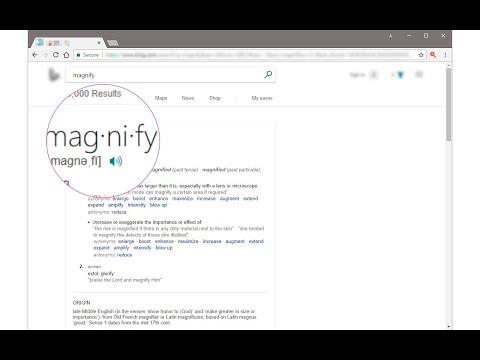
Magnifying Glass (Hover Zoom) is a lite addon that enables you to magnify a portion of a webpage with a click of a button. Please click on the toolbar button once to see the magnifying glass. Then move your mouse to see the magnified page within a circular section. If you want to hide the magnifier, simply click on the toolbar button once or click anywhere on the page. This addon has also an options page to adjust the magnifier zoom level and coverage area. Moreover, the toolbar button serves as an ON|OFF switch to turn the addon ON or OFF. Note 1: when you install the addon, it is turned off. Please click on the toolbar button once to activate the addon. The toolbar icon is red when the addon is active and grey when it is inactive. Note 2: if you want to change the zoom level, please visit the addon's options page. To report bugs, please fill out the bug report form on the addon's homepage (https://mybrowseraddon.com/magnifying-glass.html).
4.4 sa 557 rating
Mga Detalye
- Bersyon0.1.8
- Na-updatePebrero 9, 2026
- Iniaalok ngYubi
- Laki41.08KiB
- Mga WikaEnglish
- Developer
Email
muyu.biovie@gmail.com - Hindi traderHindi tinukoy ng developer na ito ang sarili bilang trader. Para sa mga consumer sa European Union, pakitandaang hindi naaangkop ang mga karapatan ng consumer sa mga kontrata sa pagitan mo at ng developer na ito.
Privacy

Ipinapahayag ng developer na ito na ang iyong data ay
- Hindi ibinebenta sa mga third party na hindi kabilang sa mga naaprubahang sitwasyon ng paggamit
- Hindi ginagamit o inililipat para sa mga layuning hindi nauugnay sa pangunahing functionality ng item
- Hindi ginagamit o inililipat para tukuyin ang pagiging creditworthy o para sa mga layunin ng pagpapautang
Suporta
Para sa tulong sa mga tanong, suhestyon, o problema, bisitahin ang site ng suporta ng developer