


Overview
AI copilot in your Chrome side panel. Summarize, explain, and draft replies grounded in the page you're reading.
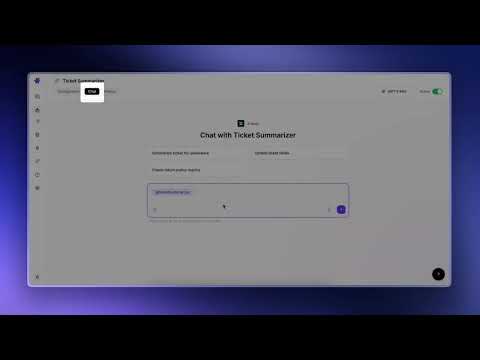
Ask Macha about any page you're on Macha AI is an AI copilot that lives in the Chrome side panel. Open the panel on any webpage and Macha can read the page for you, then answer questions, summarize what's there, extract key points, or draft a reply based on what you're reading—no tab switching or copy-pasting required. What it does Summarize any article, documentation page, blog post, GitHub issue, or other long-form content Answer specific questions about the page you're on Draft replies based on the content you're reading Explain unfamiliar concepts using the current page as context Recall past conversations from a history dropdown tied to your account How it works Click the Macha icon in your Chrome toolbar to open the docked side panel. Macha extracts the main content from the current tab and displays it in a small preview chip at the top of the panel. Ask your question, click Send, and Macha responds using the current page as context. When you switch tabs, the preview chip automatically updates to reflect the new page. You can click the page-context chip to preview exactly what will be sent to Macha, or remove it entirely if you want to ask a question without including the current page. Where it works Macha works on any HTTP or HTTPS webpage, including: News sites Documentation GitHub YouTube Notion Google Docs LinkedIn Product pages Help center articles And virtually any other website Chrome's own pages (such as New Tab and chrome://extensions) are excluded because Chrome extensions aren't allowed to access them. Privacy Page content only leaves your browser after you click Send. You can remove the page-context chip at any time to ask questions without sharing the current page. Your conversations are stored securely under your Macha account and are never shared with other users. See getmacha.com/privacy for full details. Requirements A free Macha account (sign up at getmacha.com) Google Chrome 114 or later (uses Chrome's Side Panel API) Dark mode Macha automatically follows your operating system's appearance. If your system is set to dark mode, the side panel switches to dark mode automatically—no additional configuration required. About Macha Macha is a complete AI copilot platform that connects to your tools and data. The Chrome extension is a companion to the main Macha dashboard at getmacha.com, where you can build custom AI agents, connect services like Zendesk, Freshdesk, Notion, and Google Workspace, and create advanced automations and analytics. The Chrome extension brings Macha directly into your browser, giving you instant, page-aware assistance wherever you work.
5 out of 51 rating
Details
- Version0.1.0
- UpdatedJuly 17, 2026
- Size223KiB
- LanguagesEnglish
- DeveloperAGZ TECHNOLOGIES PRIVATE LIMITEDWebsite
M1801 Meghana Shalini Apartments, Banashankari 2nd Stage No. 2 & 3 Ring Road Bangalore, Karnataka 560070 INEmail
support@getmacha.comPhone
+91 98860 98041 - TraderThis developer has identified itself as a trader per the definition from the European Union and committed to only offer products or services that comply with EU laws.
Privacy

Macha AI: AI copilot for any webpage has disclosed the following information regarding the collection and usage of your data. More detailed information can be found in the developer's privacy policy.
Macha AI: AI copilot for any webpage handles the following:
This developer declares that your data is
- Not being sold to third parties, outside of the approved use cases
- Not being used or transferred for purposes that are unrelated to the item's core functionality
- Not being used or transferred to determine creditworthiness or for lending purposes
Support
For help with questions, suggestions, or problems, visit the developer's support site