


Overview
Detect and download M3U8 (HLS) and MP4 videos from any website.
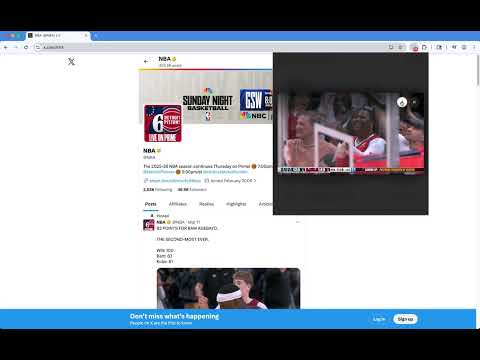
M3U8 Downloader Pro finds the videos playing on the page you're viewing and saves them to your computer — including M3U8 (HLS) streams that are split into many small pieces and can't be saved the usual way. HOW IT WORKS 1. Open a page and play the video. 2. Click the extension icon. The number on the icon shows how many videos were found. 3. Press Download. A download page opens and saves the video to your Downloads folder. FEATURES • Automatic detection: M3U8 (HLS) streams and MP4 / WebM files are found while the video plays. • Pick a quality: see every quality a stream offers, plus its audio and subtitle tracks. • Preview first: play a video right in the popup to make sure it's the one you want. • Fast parallel downloads: stream segments download side by side and are joined into a single file. • Resumable: if a download is interrupted, reload the page and it continues where it stopped. • Live recording: record a live stream and stop whenever you like. • Tidy list: filter by type, clear the list, or add sites to an ignore list. • Minimum file size: skip small files such as previews and thumbnails. • Light and dark themes, available in 13 languages. PRIVACY Downloads run entirely in your browser. Videos go straight from the video's server to your computer and never pass through our servers. No account, no ads, no tracking. Your settings stay on your device. GOOD TO KNOW • Copy-protected (DRM) videos can't be downloaded. • Some platforms are not supported due to Chrome Web Store policies. • Please only download content you own or have permission to save, and respect copyright and the terms of the sites you visit.
4.9 out of 57 ratings
Details
- Version1.1.1
- UpdatedNovember 11, 2026
- Size885KiB
- Languages13 languages
- DeveloperWebsite
Email
codebox@duck.com - Non-traderThis developer has not identified itself as a trader. For consumers in the European Union, please note that consumer rights do not apply to contracts between you and this developer.
Privacy

This developer declares that your data is
- Not being sold to third parties, outside of the approved use cases
- Not being used or transferred for purposes that are unrelated to the item's core functionality
- Not being used or transferred to determine creditworthiness or for lending purposes