

Save Gmail to PDF with Attachments by M2pdf

Overview
Save, export and download Gmail emails to PDF with attachments. 100% private local processing. Your emails never leave your browser.
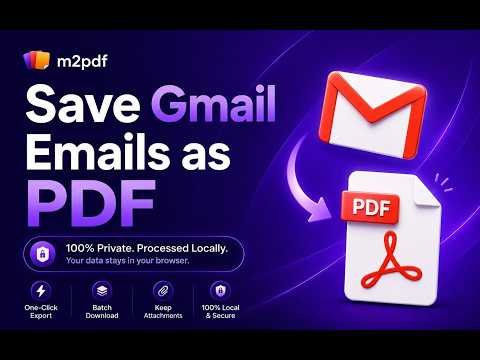
Save Gmail emails as PDF, with attachments included, directly in your browser. M2pdf converts each email into a clean, text-searchable PDF, and embeds image and PDF attachments right into the file, so every email becomes one complete document. Everything is processed locally, so your emails never reach a third-party server. That is what makes M2pdf a fit for legal, financial, and HR work where confidentiality is not optional. Top Features: Works Inside Gmail: Fully integrated into the Gmail interface. A native "Save as PDF" button sits right in your Gmail toolbar, convert without leaving your inbox. 100% Local and Private: Zero server uploads. Your emails and attachments stay on your computer. Attachments Inside the PDF: Embeds image and PDF attachments directly into the email PDF. Save other attachments alongside your PDF files. Export Editable PDF: Save any Gmail email as a high-quality, text-searchable PDF instantly. Batch Export: Convert up to 100 emails at once from any label, sender, or search result. Smart Organization: Automatic file naming and clean folder structures using naming templates. Customizable Output: Adjust layouts, headers, and link settings to fit your exact needs. Perfect For: Legal Professionals: Securely archive client communications and e-discovery files as complete, self-contained PDFs, without breaching confidentiality. Accountants and Finance: Batch export invoices, receipts, and tax records for easy offline storage. Freelancers and Agencies: Back up project approvals, contracts, and client requests. HR Departments: Save employee records, interview feedback, and confidential internal communications securely. How It Works: 1. Install the M2pdf extension. 2. Open Gmail and select or search for the emails you want to export. 3. Click the M2pdf "Save as PDF" button and choose your options. 4. Download your PDFs and attachments instantly to your local drive. Free Tier Included: Start with 20 free conversions, with all core features included. Upgrade any time for unlimited exports.
4.3 out of 519 ratings
Details
- Version2.0.2
- UpdatedAugust 18, 2026
- FeaturesOffers in-app purchases
- Size1.9MiB
- LanguagesEnglish
- DeveloperWebsite
Email
contact@m2pdf.com - Non-traderThis developer has not identified itself as a trader. For consumers in the European Union, please note that consumer rights do not apply to contracts between you and this developer.
Privacy

Save Gmail to PDF with Attachments by M2pdf has disclosed the following information regarding the collection and usage of your data. More detailed information can be found in the developer's privacy policy.
Save Gmail to PDF with Attachments by M2pdf handles the following:
This developer declares that your data is
- Not being sold to third parties, outside of the approved use cases
- Not being used or transferred for purposes that are unrelated to the item's core functionality
- Not being used or transferred to determine creditworthiness or for lending purposes
Support
For help with questions, suggestions, or problems, visit the developer's support site