


Overview
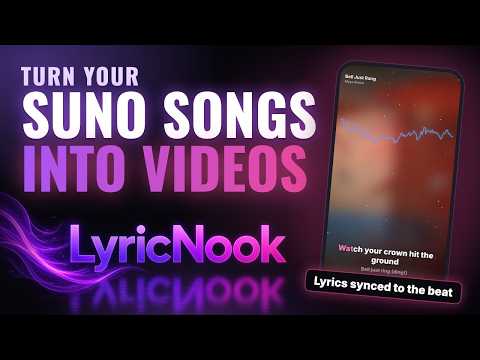
Turn your songs into beat-synced lyric videos in a few clicks. Works with songs you make on Suno. Independent; not affiliated.
Turn your songs into lyric videos in a few clicks. LyricNook is a Chrome extension for people who make music with Suno and want a video for YouTube, Shorts, TikTok or Reels. Click the LyricNook button on your song's page and Studio opens with the title, artist, cover art and lyrics already filled in. Choose your audio file, pick a look, and export. WHAT YOU GET • Beat-synced lyric captions that react to your music • Autopilot: a guided, step-by-step flow that does each step for you and asks only when it needs you • A built-in Help chat that answers questions about how LyricNook works • Auto-sync: it listens to the vocals and times every lyric line for you (sign in required) • Tap-to-sync for the finishing touches, plus "shift all lyrics" • A zoomable lyric timeline: drag a line to move it, or drag its edges to make it shorter or longer • Eight ready-made lyric styles, with fonts, colors, glow and entrance effects you can change • Backgrounds, visualizer bars, particles and scene changes built from your cover art • AI Scenes (Pro and Studio): pictures made from your lyrics. Each picture arrives on the lyric it is about, with its own slow camera move, and follows the lyrics if you re-time them • Your own pictures (free, every plan): add your photos or artwork, spread them over the lyrics, choose the line each one starts on, and move, replace or remove any of them • Zoom the preview, and open any picture full size • Your name on it: intro card, @handle, progress bar and an outro line • Vertical, square or widescreen for each platform (make several shapes in one render on Pro and Studio) • Export as MP4, MOV, MKV, WebM or GIF • A settings page for your profile and social handles, saved once and filled in for you • A built-in tour and short lessons PRIVATE BY DEFAULT Your audio, lyrics, cover art, your own pictures and drafts stay on your computer. LyricNook never copies audio from Suno: you choose the file you downloaded yourself. Only if you use Auto-sync or cloud rendering is the audio sent to our server for that one job, and it is deleted afterwards. AI Scenes (Pro) send only text: your lyrics and picture ideas. The Help chat sends the question you type. When a video finishes, an anonymous count (plan, shapes, length; never your song or lyrics) is sent unless you turn it off in Settings. Studio may show a short note from the maker; asking for it sends nothing about you, and you can turn it off in Settings. FREE TO START Exporting on your computer is free. Paid plans add more Auto-syncs, cloud rendering (beta) and extras. Features that aren't ready yet are clearly marked "coming soon", including posting directly to YouTube, TikTok and Instagram. LyricNook is an independent product. It is not made, endorsed or sponsored by Suno, Inc. "Suno" is a trademark of its owner. Questions: support@lyricnook.com · lyricnook.com
0 out of 5No ratings
Details
- Version1.0.6
- UpdatedOctober 30, 2026
- Size612KiB
- LanguagesEnglish (United States)
- DeveloperShane David MickleyWebsite
10880 Southwest 74th Avenue Tigard, OR 97223 USEmail
Lyricnook.support@gmail.comPhone
+1 971-940-8213 - TraderThis developer has identified itself as a trader per the definition from the European Union and committed to only offer products or services that comply with EU laws.
Privacy

LyricNook – Lyric Video Maker has disclosed the following information regarding the collection and usage of your data. More detailed information can be found in the developer's privacy policy.
LyricNook – Lyric Video Maker handles the following:
This developer declares that your data is
- Not being sold to third parties, outside of the approved use cases
- Not being used or transferred for purposes that are unrelated to the item's core functionality
- Not being used or transferred to determine creditworthiness or for lending purposes
Support
For help with questions, suggestions, or problems, please open this page on your desktop browser