

LucidRows: Free Web Scraper, Table & List to Excel or CSV

Overview
Free data scraper: click one item to scrape a list or table, even across pages, to Excel or CSV. No code, no account, runs locally.
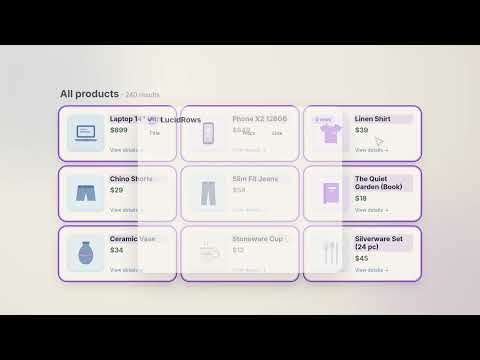
LucidRows is a free web scraper extension for Chrome, made for people who don't write code. Click one item in a list or table, like a name, price, or date, and LucidRows finds the same detail on every matching card or row. Check the results in an editable preview, then download a CSV that opens in Excel or imports into Google Sheets, or a JSON file. No account needed, and what you collect stays on your computer. WHAT YOU CAN SCRAPE • HTML tables: click one cell and every row fills the preview • Lists and card grids, including nested cards (a title, price, and date inside each card) • Pictures: click a product photo and that column holds the image URL • Results that keep going: Walk pages follows Next links on the same site and merges every page into one table Use it as a simple data scraper for directory lead lists, real estate and property listings, product catalogs, job boards, search results, and anything else built from repeating rows or cards. HOW IT WORKS 1. Open the list you want and click the LucidRows icon 2. Type a column name, like "Title", then click that detail on one item 3. Add more columns, like "Price" or "Date", the same way. If a pick grabs too much or too little, use Broader or Narrower 4. Check the preview: rename, remove, or reorder columns, edit cells, delete rows 5. If there's more to collect, click Walk pages. Stop any time and keep what you've collected 6. Export CSV or JSON, or save your columns as a recipe to reuse on the same site QUICK ANSWERS • Is it free? Yes. Picking, walking, the preview, and export are free. There is no meter and no credits. • Do I need an account? No. There is no sign-up or login. • Does my data leave my computer? No. Nothing you collect is uploaded, and recipes are saved in Chrome on your computer. • Can it scrape multiple pages? Yes, Walk pages follows Next links on the same site. A run collects 200 rows by default, and you can raise "Collect up to" as high as 5,000. One Walk stops after 50 pages. • Can I get the data into Excel or Google Sheets? Yes, as a CSV file. Open it in Excel or import it into Google Sheets. • Do I need to write code or selectors? No. You point and click. WHAT IT CAN'T DO • It collects what the list shows. It does not open each item's own detail page • Walking stays on the same site and does not follow links to other sites • You pick fields yourself; there is no AI "describe what you want" mode • No cloud runs, scheduling, proxies, CAPTCHA solving, or login automation • Some complex sites need a retry or a Broader/Narrower adjustment PRIVACY LucidRows runs in Chrome on your computer. What you scrape stays in your browser and in the files you export, and recipes are saved in Chrome's local storage. Nothing is uploaded. When you open the popup, it loads its fonts from Google Fonts; none of your data is sent with that request. Full policy: https://lucidrows.com/privacy?utm_source=chromewebstore&utm_medium=directory&utm_campaign=cws-listing
5 out of 51 rating
Details
- Version0.1.4
- UpdatedOctober 26, 2026
- Size252KiB
- LanguagesEnglish
- Developer
- Non-traderThis developer has not identified itself as a trader. For consumers in the European Union, please note that consumer rights do not apply to contracts between you and this developer.
Privacy

This developer declares that your data is
- Not being sold to third parties, outside of the approved use cases
- Not being used or transferred for purposes that are unrelated to the item's core functionality
- Not being used or transferred to determine creditworthiness or for lending purposes
Support
For help with questions, suggestions, or problems, visit the developer's support site