

LPU WiFi Auto Login
3 ratings
)
Overview
Automatically login to LPU WiFi network
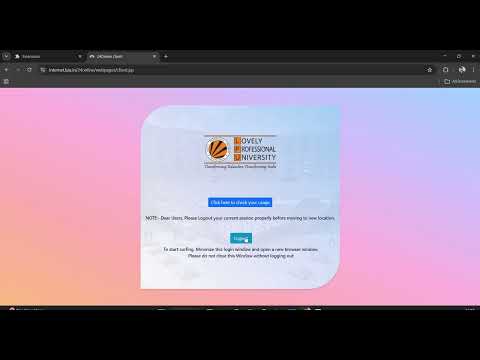
LPU WiFi Auto Login is a smart Chrome extension designed for Lovely Professional University students to automatically authenticate and log in to the campus WiFi network. Tired of entering your credentials repeatedly? This extension detects the LPU WiFi login page and securely performs the login process for you in seconds. Key Features: • Automatic detection of LPU WiFi login portal • Secure credential handling • Fast and reliable authentication • Saves time and improves productivity • Lightweight and easy to use Built especially for LPU students to streamline daily internet access. Privacy Focused: This extension does not collect, store, or share any personal data. Your login credentials remain secure and are only used for authentication with the official LPU WiFi portal. Install LPU WiFi Auto Login and enjoy seamless internet access on campus.
5 out of 53 ratings
Details
- Version1.0.2
- UpdatedAugust 3, 2026
- Offered bychandan
- Size936KiB
- LanguagesEnglish
- Developer
Email
chandany67071@gmail.com - Non-traderThis developer has not identified itself as a trader. For consumers in the European Union, please note that consumer rights do not apply to contracts between you and this developer.
Privacy

LPU WiFi Auto Login has disclosed the following information regarding the collection and usage of your data. More detailed information can be found in the developer's privacy policy.
LPU WiFi Auto Login handles the following:
This developer declares that your data is
- Not being sold to third parties, outside of the approved use cases
- Not being used or transferred for purposes that are unrelated to the item's core functionality
- Not being used or transferred to determine creditworthiness or for lending purposes
Support
For help with questions, suggestions, or problems, visit the developer's support site