

Agentic UI Dev Tool

Overview
Click any element, say what should change, and send it with its context to your coding agent, Jira, Linear, GitHub, GitLab and more.
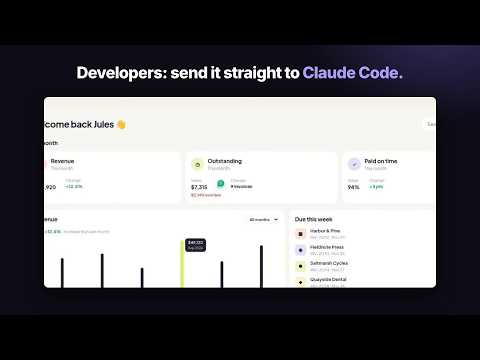
Turn UI feedback into tickets an AI coding agent can act on. Click the extension on any page, click an element, and write what should change. Every note carries what a developer or a coding agent needs to find the code: the page, a stable selector, the element's text, test ID and ARIA label, and a screenshot with the element outlined. FOR TESTERS AND PMS • Annotate staging across several pages, review your notes in the side panel, and send them in one batch. • Send each note to your issue tracker or team chat (for example, as a Jira issue), labeled with the environment and ready for a developer to fix. • Improve: connect an AI model with your own key, or your paired coding agent, and turn a rough note into a clear ticket with expected and actual results, steps and severity. You review the draft before it is saved. Improving a note you already sent updates its issue. • Record a flow: a video of the tab while you click through a bug, with numbered steps and every error, warning and failed request counted as it happens. One click files it all as one issue. Optionally also record a replay of the page that anyone can open in a browser and coding agents can read. • Import your team's settings preset and add only your own token. FOR DEVELOPERS • On a localhost dev build, notes include the component and its source file. • Pair with your coding agent (for example, Claude Code) through a local bridge, send notes straight to it, and watch pins turn resolved as it fixes them. • Nothing is added to your app's code. PRIVATE BY DESIGN • No server, account, telemetry or analytics. Notes go only to the destinations you set up: your own tracker, your team chat, your local coding agent or your clipboard. • Improve runs only when you click it, and sends the note only to the AI model or coding agent you connected. • Form fields are painted over in every screenshot, and you can remove any screenshot before sending. • Videos are recorded only while you press Flow, from that one tab, without audio, and stay in your browser until you send or discard them. Replays are kept in your browser, never recorded on sites with screenshots off, and always mask typed values. • Tokens and keys stay on your computer and never sync. • No access to all sites: the extension asks only for the hosts you configure.
0 out of 5No ratings
Details
- Version0.22.8
- UpdatedNovember 27, 2026
- Offered byamreid248@gmail.com
- Size384KiB
- LanguagesEnglish
- Developer
Email
amreid248@gmail.com - Non-traderThis developer has not identified itself as a trader. For consumers in the European Union, please note that consumer rights do not apply to contracts between you and this developer.
Privacy

Agentic UI Dev Tool has disclosed the following information regarding the collection and usage of your data. More detailed information can be found in the developer's privacy policy.
Agentic UI Dev Tool handles the following:
This developer declares that your data is
- Not being sold to third parties, outside of the approved use cases
- Not being used or transferred for purposes that are unrelated to the item's core functionality
- Not being used or transferred to determine creditworthiness or for lending purposes