


概要
許可された動画を、トリミング、カバー画像、安全なクラウド処理により MP3、M4A、Opus、WAV に変換します。
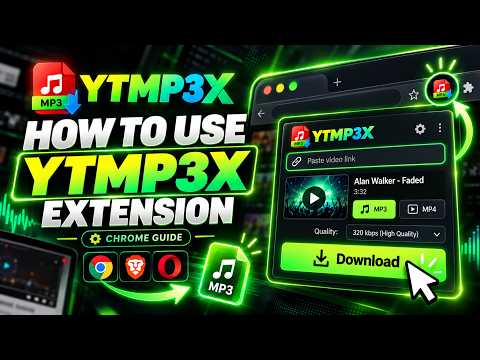
YTMP3X – Video to MP3 Converter - Save Any Audio in One Click YTMP3X turns the sound of a supported page into a clean, high-quality audio file you can keep. Songs, mixes, podcasts, lectures, interviews, audiobooks - if you would rather listen than watch, one click gives you the audio alone: no bulky video and no complicated setup. 🤔 WHAT IT DOES YTMP3X pulls the audio track from a supported page and hands you a ready-to-play file. Instead of storing a heavy video when all you want is the sound, you get a compact track that works in any music player, phone, or car stereo. ⬇️ Processing happens on our cloud servers, so conversion does not load your computer. Long recordings finish just as smoothly as short ones. The original sound is preserved as closely as the source allows. 🟢 FORMATS & QUALITY Choose the format that fits your player: • MP3 - universal compatibility • M4A - great for many mobile devices • Opus - smaller files at strong quality • WAV - uncompressed copy for editing 😊 Lossy formats support bitrates up to 320 kbps. Where the source provides them, cover art and track tags can be written into the file so your library looks right in every player. 🗂️ WHAT YOU CAN SAVE • Songs, albums and mixes for an offline collection • Podcast episodes and radio shows for the commute • Lectures, talks and tutorials for studying • Interviews and conversations worth revisiting • Sound effects, samples and audiobooks • Any track you want available without a connection ⭐ KEY FEATURES • One-click saving from the toolbar on a supported page • Four output formats: MP3, M4A, Opus and WAV • Bitrates from 128 up to 320 kbps where available • Optional trim - keep only the section you need • Cover art and title tags when provided by the source • Fast cloud processing with live progress • Smart file naming from the original title • Available in multiple languages • Encrypted transfers over HTTPS from start to finish • Works across Chromium-based browsers 💭 HOW TO USE 1. Open a supported page with the track you want. 2. Click the YTMP3X icon in your toolbar. 3. Choose a format and quality, trim if you like, complete the secure check, then start the download. 4. The file saves to your computer automatically. Open it in any player and listen offline. 💌 FREE USE YTMP3X includes free daily downloads so you can try it with no commitment. Remaining free downloads stay yours. You are always informed about limits inside the extension. 🌍 PRIVACY To run the service and protect it from abuse, YTMP3X creates a random, anonymous installation ID and sends the link of the page you choose to save to our servers for processing. Our servers temporarily record that installation ID, your IP address, and basic usage details such as download counts — used for rate-limiting, reliability and abuse prevention. Finished files are deleted from our servers automatically a short time after you download them. YTMP3X does not collect your browsing history and only acts on pages where you choose to start a download. Full details are in our Privacy Policy linked from this listing. ⚠️ RESPONSIBLE USE Use YTMP3X only for media you own, have permission to process, that is freely licensed, or that you are otherwise legally entitled to save. YTMP3X does not grant rights to third-party content. Install YTMP3X today and start building the offline library you actually listen to.
5 点満点で 54 件の評価
詳細
プライバシー

YTMP3X – 動画から音声への変換 から、お客様のデータの収集と使用に関する以下の情報が開示されています。 詳しくは、デベロッパーの privacy policy をご確認ください。
YTMP3X – 動画から音声への変換 は次を扱います。
このデベロッパーは、お客様のデータについて以下を宣言しています
- 承認されている以外の用途で第三者に販売しないこと
- アイテムの中心機能と関係のない目的で使用または転送しないこと
- 信用力を判断する目的または融資目的で使用または転送しないこと
サポート
質問や提案、問題がある場合は、デベロッパーのサポートサイトにアクセスしてください。