


Pangkalahatang-ideya
Seamlessly calculate forex lot sizes in TradingView. Automate trading with instant, accurate position sizing for forex pairs.
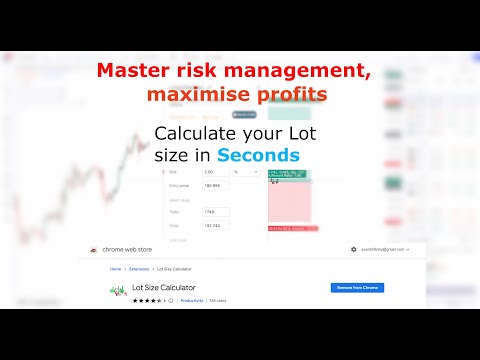
Effective risk management is essential for successful forex trading, and having a solid strategy in place from the outset is crucial. The Forex Lot Size Calculator extension for TradingView is designed to help traders easily implement risk management practices into their trading plans. With this extension, you can quickly calculate the appropriate lot size or position size based on your trading plan, all within the TradingView platform. This means you can save time and avoid the hassle of switching between applications or copying and pasting currency pair values. By using the TradingView position tool to visually mark up your trade and specifying your account balance and risk in the Inputs tab, you can easily determine your lot size for both standard and mini lot size accounts. Not only does this extension help you streamline your trading plan in one convenient location, but it also enables you to make informed decisions that mitigate risk and maximize potential profits. Read more at: https://www.tradeprober.com/lot-size-calculator Key Features: ✓ Quickly calculate lot size/position size based on your trading plan ✓ Save time and avoid switching between applications ✓ Use the TradingView position tool to visually mark up your trade ✓ Calculate lot size for both standard and mini lot size accounts ✓ Specify your account balance and risk in the Inputs tab to make informed decisions that mitigate risk and maximize potential profits Take control of your forex trading and implement effective risk management practices with the Forex Lot Size Calculator for TradingView. Free Pairs: EURUSD GBPNZD CHFJPY AUDCHF NAS SP500 EU NQ1! DE40 NDX EURNOK EURSEK GBPNOK GBPSEK NZDCAD JPN225 HKG33 INDIA50 CHN50 US2000 SUIUSDT FETUSDT HBARUSDT WIFUSDT USDMXN USDZAR AUS200 ESP35 ITA40 NQZ2024 USDTRY USDSGD USDHKD GBPSGD EURDKK EURSGD USDHUF USDCZK USDILS USDPLN USDRUB USDCLP USDINR USDTHB USDKRW A1ZNDQ XVGUSDT.P GMC SOM SOMEC SOMERO SOMNOMED Usage: To use the lot size calculator, select your trading account currency within the app settings (See app photos for examples). Return to tradingview and use the long or short position tool to markup your trade with your stop loss position define. Double click on the long or short position and display its property. Ensure you are under the Inputs tab. In this tab you can specify your: ✓ Account size (Account balance) ✓ Risk (This can be % or an exact amount based on your account currency). You can now select Calculate button at the top of the window to display your lot size for a standard and Mini lot size account. To save you account balance and Risk for future usage, select OK from the position window.
4.3 sa 531 rating
Mga Detalye
- Bersyon3.4.0
- Na-updatePebrero 19, 2026
- Laki107KiB
- Mga WikaEnglish
- DeveloperWebsite
Email
support@tradeprober.com - Hindi traderHindi tinukoy ng developer na ito ang sarili bilang trader. Para sa mga consumer sa European Union, pakitandaang hindi naaangkop ang mga karapatan ng consumer sa mga kontrata sa pagitan mo at ng developer na ito.
Privacy

Ipinapahayag ng developer na ito na ang iyong data ay
- Hindi ibinebenta sa mga third party na hindi kabilang sa mga naaprubahang sitwasyon ng paggamit
- Hindi ginagamit o inililipat para sa mga layuning hindi nauugnay sa pangunahing functionality ng item
- Hindi ginagamit o inililipat para tukuyin ang pagiging creditworthy o para sa mga layunin ng pagpapautang
Suporta
Para sa tulong sa mga tanong, suhestyon, o problema, pakibuksan ang page na ito sa iyong desktop browser