


Pregled
Seamlessly calculate forex lot sizes in TradingView. Automate trading with instant, accurate position sizing for forex pairs.
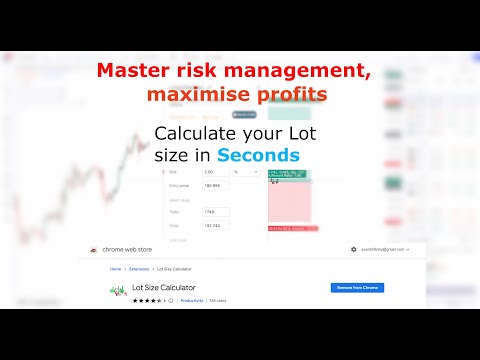
Effective risk management is essential for successful forex trading, and having a solid strategy in place from the outset is crucial. The Forex Lot Size Calculator extension for TradingView is designed to help traders easily implement risk management practices into their trading plans. With this extension, you can quickly calculate the appropriate lot size or position size based on your trading plan, all within the TradingView platform. This means you can save time and avoid the hassle of switching between applications or copying and pasting currency pair values. By using the TradingView position tool to visually mark up your trade and specifying your account balance and risk in the Inputs tab, you can easily determine your lot size for both standard and mini lot size accounts. Not only does this extension help you streamline your trading plan in one convenient location, but it also enables you to make informed decisions that mitigate risk and maximize potential profits. Key Features: ✓ Quickly calculate lot size/position size based on your trading plan ✓ Save time and avoid switching between applications ✓ Use the TradingView position tool to visually mark up your trade ✓ Calculate lot size for both standard and mini lot size accounts ✓ Specify your account balance and risk in the Inputs tab to make informed decisions that mitigate risk and maximize potential profits Take control of your forex trading and implement effective risk management practices with the Forex Lot Size Calculator for TradingView. Usage: To use the lot size calculator, select your trading account currency within the app settings (See app photos for examples). Return to tradingview and use the long or short position tool to markup your trade with your stop loss position define. Double click on the long or short position and display its property. Ensure you are under the Inputs tab. In this tab you can specify your: ✓ Account size (Account balance) ✓ Risk (This can be % or an exact amount based on your account currency). You can now select Calculate button at the top of the window to display your lot size for a standard and Mini lot size account. To save you account balance and Risk for future usage, select OK from the position window.
4,3 od 531 ocen
Podrobnosti
- Različica3.3.7
- Posodobljeno4. januar 2026
- Velikost106KiB
- JezikiEnglish
- RazvijalecSpletno mesto
E-pošta
support@tradeprober.com - Nisem posrednikTa izdajatelj se ni opredelil kot posrednik. Potrošniki v Evropski uniji morate upoštevati, da potrošniške pravice za pogodbe, sklenjene med vami in tem razvijalcem, ne veljajo.
Zasebnost
Ta razvijalec glede vaših podatkov izjavlja naslednje:
- Zunaj okvirov dovoljenih primerov uporabe se ne prodajajo tretjim osebam.
- Ne uporabljajo ali prenašajo se za namene, ki niso povezani s temeljno funkcijo izdelka.
- Ne uporabljajo ali prenašajo se zaradi ugotavljanja kreditne sposobnosti ali zaradi namenov posojanja denarja.
Podpora
Če potrebujete pomoč pri vprašanjih, predlogih ali težavah, odprite to stran v namiznem brskalniku