

LossGuardian Advanced Mode

Overview
Helps stop overtrading and revenge trading. Pauses order buttons when your rules are hit. Optional broker Kill Switch. Windows only.
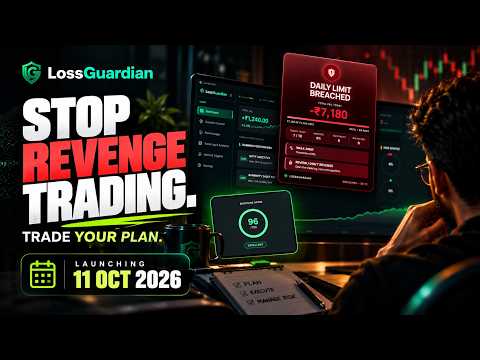
Overtrading and revenge trading often start right after a loss. LossGuardian Advanced Mode helps you keep to your own trading rules in your browser, using the LossGuardian desktop app for Windows. When a rule you set in the app is hit, or you take a pause yourself, the extension pauses new orders on your broker's web pages and the trading sites you chose. You stay in control of your rules, and you can still close an open position. What it does: - Pauses order buttons and your chosen trading sites during a pause or after Done for today - Works with the rules you set in LossGuardian, such as daily loss limit, daily trade limit, losing trades and losses in a row - Take a pause or finish the day from the browser, with one click - Shows your discipline score, loss limit and trades left for today - Gives you an exit window, so you can close a position while paused - Optional: can press your broker's Kill Switch for you after Done for today, only if you turn this on in the app and agree first What it does not do: - It never places an order and never squares off a position. You close your own trades. - It gives no tips or trading signals, and it cannot promise profits or prevent every loss. - It has no server of its own and loads no remote code. It talks only to the LossGuardian app on your PC. You need the LossGuardian desktop app on Windows, with Advanced Mode turned on. Without the app installed, the extension does nothing. Learn more at https://lossguardian.com
0 out of 5No ratings
Details
- Version0.7.3
- UpdatedNovember 21, 2026
- Offered byLossGuardian
- Size184KiB
- LanguagesEnglish
- DeveloperLIQUIDITY TRADER MEDIA & TECH PRIVATE LIMITED
B 76 Noida Sector 70, Noida Gautam Buddha Nagar, Noida, Noida,Gautam Buddha Nagar Noida, Uttar Pradesh 201301 INEmail
support@lossguardian.comPhone
+91 86993 04050 - TraderThis developer has identified itself as a trader per the definition from the European Union and committed to only offer products or services that comply with EU laws.
Privacy

This developer declares that your data is
- Not being sold to third parties, outside of the approved use cases
- Not being used or transferred for purposes that are unrelated to the item's core functionality
- Not being used or transferred to determine creditworthiness or for lending purposes
Support
For help with questions, suggestions, or problems, visit the developer's support site