Visão geral
Capture páginas com rolagem, áreas ou abas. Anote, recorte, desfoque e exporte para PNG, JPG ou PDF.
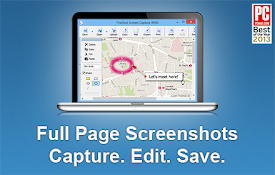
LongShot is the fastest, cleanest, and most powerful screenshot and markup extension for your browser. Capture entire scrolling webpages, custom selected regions, or visible tabs with zero bloat and 100% privacy. Everything is processed locally on your machine—no servers, no accounts, and no data tracking. ✨ CORE FEATURES: 📸 4 Powerful Capture Modes: • Full Page Screenshot: Automatically scrolls and stitches the entire web page seamlessly. • Selected Area: Click and drag a precision crosshair to snap any exact rectangle. • Manual Scroll Capture: Take control yourself—scroll through complex dynamic web apps and snap slice-by-slice with instant visual frame previews. • Visible Screen: Instantly capture your current screen view in one click. 🎨 Built-in Professional Editor & Annotation Suite: • Shapes: Add customizable Rectangles, Circles, and directional Arrows. • Freehand Pen: Smooth brush drawing with customizable stroke sizes and vibrant colors. • Text Tool: Rich inline text tool with font sizing, draggable bounds, and double-click editing. • Redact & Blur: Obscure sensitive information, passwords, and private data with smooth blur boxes or blackout redactions. • Precision Cropping: Interactive crop handles to trim your final capture. • Undo / Redo: Full multi-level history stack. • Multi-Item Selection: Drag marquee selection and transform items easily. 🌓 Smart Dark Mode & Light Mode Engine: • Capture any light webpage in a sleek Dark Mode, or convert dark pages to clean Light Mode before capturing. • Smart page detection preserves natural media and image colors while intelligently styling backgrounds and text. 💾 Instant Multi-Format Export: • Download as crisp PNG (lossless) or JPEG (compressed). • Multi-Page A4 PDF Export: Automatically splits long screenshots into print-ready A4 PDF pages with seamless background color matching on the last page. • One-Click Copy to Clipboard: Instantly copy to your clipboard and paste into any document, editor, chat, or email. 🔒 100% Privacy Focused: • Zero tracking, zero telemetry, zero analytics. • All screenshot processing, stitching, and PDF generation happen locally in your browser memory. • Open source and lightweight.
Detalhes
- Versão1.3.0
- Atualização22 de outubro de 2026
- Oferecido porTech Solution
- Tamanho254KiB
- Idiomas10 idiomas
- Desenvolvedor
E-mail
support.tech.dev@gmail.com - Não negocianteEsse desenvolvedor não se identificou como comerciante. Caso você seja da União Europeia, observe que os direitos do consumidor não se aplicam a contratos firmados entre você e esse desenvolvedor.
Privacidade

O desenvolvedor declara que seus dados
- Não são vendidos a terceiros, exceto nos casos de uso aprovados
- Não são usados ou transferidos para fins não relacionados à função principal do item
- Não são usados ou transferidos para informações de crédito ou empréstimo