Panoramica
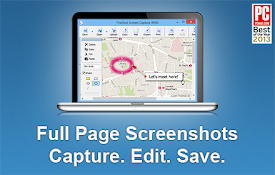
Cattura schermate di pagine intere con scorrimento, aree o schede. Annota, ritaglia, sfoca ed esporta in PNG, JPG o PDF.
LongShot is the fastest, cleanest, and most powerful screenshot and markup extension for your browser. Capture entire scrolling webpages, custom selected regions, or visible tabs with zero bloat and 100% privacy. Everything is processed locally on your machine—no servers, no accounts, and no data tracking. ✨ CORE FEATURES: 📸 4 Powerful Capture Modes: • Full Page Screenshot: Automatically scrolls and stitches the entire web page seamlessly. • Selected Area: Click and drag a precision crosshair to snap any exact rectangle. • Manual Scroll Capture: Take control yourself—scroll through complex dynamic web apps and snap slice-by-slice with instant visual frame previews. • Visible Screen: Instantly capture your current screen view in one click. 🎨 Built-in Professional Editor & Annotation Suite: • Shapes: Add customizable Rectangles, Circles, and directional Arrows. • Freehand Pen: Smooth brush drawing with customizable stroke sizes and vibrant colors. • Text Tool: Rich inline text tool with font sizing, draggable bounds, and double-click editing. • Redact & Blur: Obscure sensitive information, passwords, and private data with smooth blur boxes or blackout redactions. • Precision Cropping: Interactive crop handles to trim your final capture. • Undo / Redo: Full multi-level history stack. • Multi-Item Selection: Drag marquee selection and transform items easily. 🌓 Smart Dark Mode & Light Mode Engine: • Capture any light webpage in a sleek Dark Mode, or convert dark pages to clean Light Mode before capturing. • Smart page detection preserves natural media and image colors while intelligently styling backgrounds and text. 💾 Instant Multi-Format Export: • Download as crisp PNG (lossless) or JPEG (compressed). • Multi-Page A4 PDF Export: Automatically splits long screenshots into print-ready A4 PDF pages with seamless background color matching on the last page. • One-Click Copy to Clipboard: Instantly copy to your clipboard and paste into any document, editor, chat, or email. 🔒 100% Privacy Focused: • Zero tracking, zero telemetry, zero analytics. • All screenshot processing, stitching, and PDF generation happen locally in your browser memory. • Open source and lightweight.
Dettagli
- Versione1.3.1
- Ultimo aggiornamento:13 novembre 2026
- Elemento offerto daTech Solution
- Dimensioni265KiB
- Lingue22 lingue
- Sviluppatore
Email
support.tech.dev@gmail.com - Non commercianteQuesto sviluppatore non si è identificato come commerciante. Per quanto riguarda i consumatori nell'Unione Europea, tieni presente che i diritti del consumatore non sono applicabili ai contratti stipulati tra te e questo sviluppatore.
Privacy

Questo sviluppatore dichiara che i tuoi dati:
- Non vengono venduti a terze parti, se non per i casi d'uso approvati.
- Non vengono usati o trasferiti per finalità non correlate alle funzionalità principali dell'elemento.
- Non vengono usati o trasferiti per stabilire l'affidabilità creditizia o per finalità di prestito.