

HubProspect: LinkedIn HubSpot CRM Sync
5 ratings
)
Overview
Free LinkedIn to HubSpot sync: save LinkedIn profiles and companies, log messages, edit HubSpot fields, no duplicates. Unlimited.
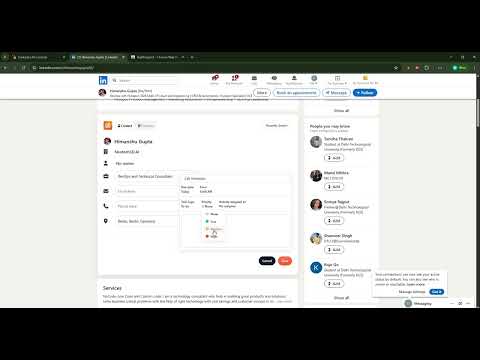
Your LinkedIn network is full of leads. HubProspect puts them in HubSpot in one click. Built for SDRs, BDRs, founders and sales teams who prospect on LinkedIn every day. 🤝 Turn your network into pipeline • Save your connections to HubSpot as contacts, one click each • Add new prospects the moment you find them • Name, title, company and LinkedIn URL filled in for you • Spend your time on outreach, not copy and paste 👀 Know who's already in your CRM • See right on their profile if someone is in HubSpot • Open the HubSpot record straight from LinkedIn • Avoid duplicate contacts with a quick check before you save ✅ Never miss a follow-up • Add a note and a follow-up task while you save • Log your LinkedIn chats on the contact in one click • Your team sees the full story before the next call 🏢 Build target accounts • Save company pages to HubSpot • Link people to their company automatically ⚙️ Works the way you work • Fill in any HubSpot field from LinkedIn, including custom ones • Switch between HubSpot accounts if you manage more than one • Works with every HubSpot plan, including free 🆓 Free for everyone • Unlimited contacts • No credits, no daily limits, no paid plan ⚡ Set up in a minute • Install HubProspect • Click the icon and connect HubSpot • Open a LinkedIn profile and click Save 🆕 What's new in 1.4.2 • Works with LinkedIn's new layout: the card shows on every profile and company page, and stays put • See instantly if someone is already in HubSpot, then update them in one click • No more duplicates: contacts are matched even if they change their photo • Reliable chat sync: every message lands in HubSpot once, on the right day • Safer by design: your HubSpot connection is encrypted on our servers, and the popup shows exactly which HubSpot account you're connected to. 🔒 Sign in with HubSpot. Privacy policy: https://www.grorapidlabs.com/privacy-policy#hubprospect 💌 Questions or ideas? developer@grorapid.com Made by Grorapid Labs, a HubSpot partner.
4.8 out of 55 ratings
Details
- Version1.4.3
- UpdatedNovember 1, 2026
- Offered byGrorapid Labs
- Size248KiB
- LanguagesEnglish
- Developer
Email
developer@grorapid.com - Non-traderThis developer has not identified itself as a trader. For consumers in the European Union, please note that consumer rights do not apply to contracts between you and this developer.
Privacy

This developer declares that your data is
- Not being sold to third parties, outside of the approved use cases
- Not being used or transferred for purposes that are unrelated to the item's core functionality
- Not being used or transferred to determine creditworthiness or for lending purposes
Support
For help with questions, suggestions, or problems, please open this page on your desktop browser