


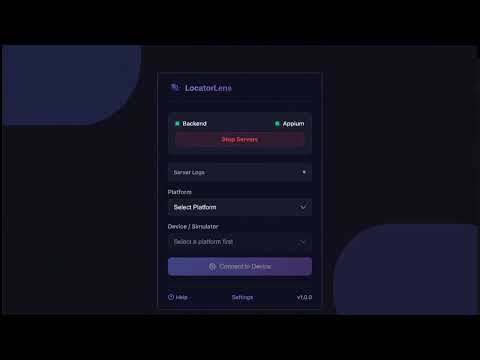
Overview
Real-time Element Inspector & Locator Generator for Appium (Android & iOS). See app structure, build locators instantly.
LocatorLens – Appium Element Inspector & Locator Generator LocatorLens is a Chrome extension for mobile test automation engineers who use Appium. It lets you inspect Android apps and iOS simulators from your browser, view the live app screen, select elements visually, and copy reliable locator strategies faster. LocatorLens runs on top of your local Appium setup. It does not replace Appium. It gives you a faster, more visual workflow for inspecting elements and building stable automated tests. Why LocatorLens? Traditional Appium inspection can be slow: - Configure capabilities - Start a session - Capture a snapshot - Refresh manually - Try one locator at a time - Check uniqueness yourself LocatorLens makes that workflow faster. What You Can Do - Start local backend and Appium servers from the extension - Connect to Android devices/emulators and iOS simulators - View a live screen mirror in Chrome - Click any visible element to inspect it - Browse the XML/source tree with screen highlighting - Generate multiple locator strategies at once - See whether each locator is unique or matches multiple elements - Hide zero-match locators automatically - Prioritize reliable single-match locators - Copy raw locator values such as ID, XPath, Accessibility ID, class name, UiAutomator, iOS predicate, and iOS class chain - Highlight all elements that match the same locator - Tap and interact with the app from the browser - Send feedback directly from the extension LocatorLens helps reduce stale screenshots, repeated setup, and back-and-forth between tools when app screens change. Requirements LocatorLens uses a local companion and your local Appium installation. You need: - Node.js 18+ - Appium 2.x - Android SDK / ADB for Android inspection - Xcode tools for iOS simulator inspection - LocatorLens local companion setup from the extension Settings page Privacy LocatorLens inspection data stays local. Mobile app screenshots, page source XML, locator selector values, app package names, and device names are not sent to external servers. Anonymous usage events may be sent to help improve the product. Optional feedback submissions are sent only when you choose to submit feedback.
0 out of 5No ratings
Details
- Version1.1.0
- UpdatedMay 17, 2026
- Size170KiB
- LanguagesEnglish
- DeveloperWebsite
Email
pritesh1991@gmail.com - Non-traderThis developer has not identified itself as a trader. For consumers in the European Union, please note that consumer rights do not apply to contracts between you and this developer.
Privacy

LocatorLens has disclosed the following information regarding the collection and usage of your data. More detailed information can be found in the developer's privacy policy.
LocatorLens handles the following:
This developer declares that your data is
- Not being sold to third parties, outside of the approved use cases
- Not being used or transferred for purposes that are unrelated to the item's core functionality
- Not being used or transferred to determine creditworthiness or for lending purposes