

Local UI Source Inspector
9 ratings
)
Overview
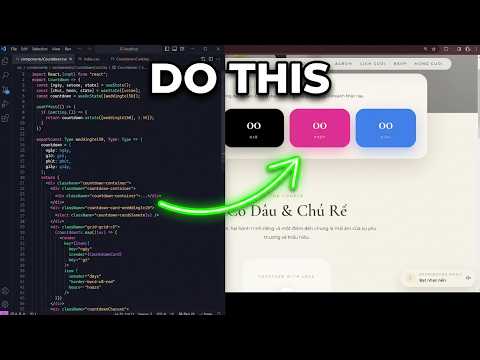
Inspect local Vite UI source, matched CSS, and JS listeners, then copy context for Codex or open files in VS Code.
Local UI Source Inspector helps frontend developers trace a selected UI element in a local Vite application back to its authored source. HOW TO USE 1. Install vite-plugin-react-source-locator in the target Vite project. 2. Copy the configuration for your framework from the built-in Detailed Guide. 3. Restart the Vite development server. 4. Open the local application and enable Inspect Mode. 5. Hover over an element to highlight it, then click to pin its source information. MAIN FEATURES - Inspect UI elements on localhost, 127.0.0.1, and [::1] - Show the detected component, template, or HTML source location - Display file path, line, column, and rendered dimensions - Highlight and pin elements, including multi-selection with Shift/Ctrl-click - Show matched authored CSS, CSS Modules, and inline styles - Map SCSS, Sass, and Less when usable Vite development source maps are available - Show supported JavaScript and TypeScript listener locations when available - Copy selected source context - Copy a structured prompt for an AI coding assistant - Open validated absolute Windows source paths in VS Code - English and Vietnamese interface and documentation VERIFIED COMPATIBILITY Vite is currently the only tested and proven build-tool integration. - Full verified workflow: Vanilla Vite, CSS, CSS Modules, and inline styles - Main component/template workflow: React, Preact, Solid, Vue 3, Svelte 5, and static Astro components - Main styling workflow: SCSS, Sass, Less, and Tailwind component/template source KNOWN LIMITATIONS - Compiler-managed events in Vue, Svelte, and Astro may have partial source tracing - Astro Islands are not fully verified - Generated Tailwind utility CSS is not treated as an editable authored CSS file - Next.js, Angular, Nuxt, Webpack, and Turbopack are not official source-tracing integrations - Open in VS Code currently requires an absolute Windows drive path and may reuse the current VS Code window PRIVACY AND LOCAL PROCESSING Inspection is restricted to local development pages served over HTTP from localhost, 127.0.0.1, or [::1]. The extension processes inspected page content and source-location metadata locally on the user's device. It does not upload source code, inspected DOM content, or copied context to external servers. It contains no analytics, telemetry, advertising, or external API requests. Only Inspect Mode and language preferences are stored in Chrome local extension storage. Source files and production builds are not modified.
5 out of 59 ratings
Details
- Version0.2.33
- UpdatedAugust 26, 2026
- Offered byVNI
- Size76.53KiB
- LanguagesEnglish (United Kingdom)
- Developer
Email
develop.test.hello@gmail.com - Non-traderThis developer has not identified itself as a trader. For consumers in the European Union, please note that consumer rights do not apply to contracts between you and this developer.
Privacy

This developer declares that your data is
- Not being sold to third parties, outside of the approved use cases
- Not being used or transferred for purposes that are unrelated to the item's core functionality
- Not being used or transferred to determine creditworthiness or for lending purposes