


Overview
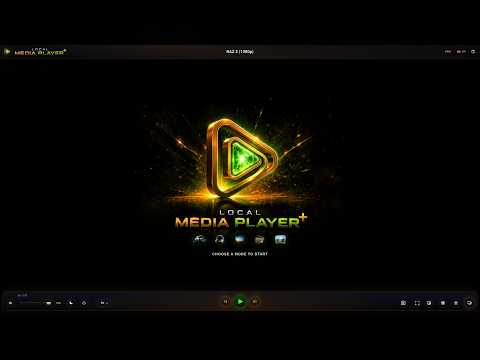
Local Media Player+ — your private media player. Many formats: local files, IPTV, radio, and more...
🎬 Local Media Player+ — a private media player for Chrome Turn Chrome into a convenient space for watching videos, listening to music, and working with your personal media library. Local Media Player+ is designed for people who want to open their own movies, music, lectures, recordings, and other media directly in the browser. Work with local files, playlists, IPTV, and internet radio in one modern interface. 🔒 Your files stay yours Local video and audio are played directly from your device. During normal local playback, your files do not need to be uploaded to the cloud or sent to third-party servers. An internet connection is used only when it is actually needed, such as for network streams, internet radio, available artwork and metadata, license validation, and other online features. 📂 Convenient media library management Open individual files or folders, build a playback queue, and save your own playlists. The player helps organize larger collections and remembers playback position so you can continue watching or listening later. 🌐 Network sources and radio Local Media Player+ supports IPTV playlists in M3U/M3U8 format, internet radio stations, and compatible network media streams. When a source provides additional information, the player can display channel and station names, groups, logos, and other available metadata. Playback availability depends on the source itself, the media format, and browser capabilities. 🖥️ Choose the way you want to use it Use the player in a regular Chrome tab, a standalone window, or the Chrome Side Panel. The full interface is convenient for managing your media library, the standalone window keeps the focus on playback, and the Side Panel lets you keep the player beside websites and work tabs. 🎬 Comfortable video playback Use fullscreen and Picture-in-Picture, and load external subtitles when watching video. Common subtitle formats are supported, including SRT, VTT, ASS, and SSA. You can customize subtitle appearance and position and adjust synchronization when needed. 🎧 Adjust the sound to your preference Built-in controls help make listening more comfortable. Adjust the equalizer, playback speed, channel balance, and other available audio settings. 📝 Keep track of important moments Create timestamped notes while watching and quickly return to the moments that matter. This is useful for lectures, studying, video analysis, and working with long recordings. For supported formats, you can also save selected media segments. 💻 Made for Chrome and Chromebook Local Media Player+ runs directly in Chrome and is well suited to ChromeOS. It is a convenient choice for users who want to work with their own media in the browser without moving their personal library to the cloud. 🚀 Local Media Player+ Your videos, music, playlists, and supported online sources in one private and convenient media space inside Chrome.
4.5 out of 58 ratings
Details
- Version15.17.20
- UpdatedOctober 14, 2026
- FeaturesOffers in-app purchases
- Size8.29MiB
- Languages20 languages
- Developer
- Non-traderThis developer has not identified itself as a trader. For consumers in the European Union, please note that consumer rights do not apply to contracts between you and this developer.
Privacy

This developer declares that your data is
- Not being sold to third parties, outside of the approved use cases
- Not being used or transferred for purposes that are unrelated to the item's core functionality
- Not being used or transferred to determine creditworthiness or for lending purposes
Support
For help with questions, suggestions, or problems, visit the developer's support site