

LO Email Builder Ext

Overview
Save, reuse, and manage email sections across Luminate Online drag-and-drop email campaigns.
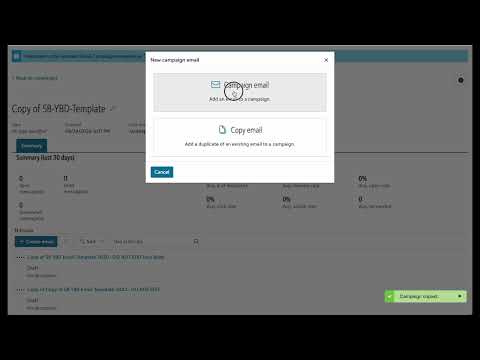
Enhance Luminate Online's drag-and-drop email builder with powerful tools that the native editor is missing. KEY FEATURES: ▸ Copy Email — Copy whole drag and drop email with a single click and use it across same or different campaign or even on a different LO account by exporting the json file. ▸ Copy & paste row sections — Save any row block from one email and paste it into any other email, even across campaigns. ▸ Reorder sections — Drag and drop rows in the panel to instantly rearrange the email layout. ▸ Delete with undo — Remove sections from the email with a timed undo option so nothing is lost by accident. ▸ Session autosave — Your unsaved panel changes are saved automatically. If your session expires or you reload, the extension offers to restore your work exactly where you left off. ▸ Auto-reopen — After saving and reloading, the extension automatically reopens the email editor so you never lose your place. ▸ Configurable settings — Control hover-to-scroll, minimize on open, undo timeout, auto-reopen, and more. NEW FEATURES: ▸ Add Custom CSS Classes — Now you can add custom class to the sections and individual elements and target them using the css in your stationery. This adds a whole lot of control on how your email renders on different device resolutions. (Nov 4, 2026) ▸ Custom Column Widths — Now you can set the custom column widths for your 2 column layout in Luminate Editor using the extension. (Nov 3, 2026) ▸ Insert Custom HTML — Paste raw HTML directly into any text block, bypassing the rich text editor. (Oct 15, 2026) ▸ Custom padding per side — Set different top, right, bottom and left padding for any section or column, something the native editor only allows as one value for all sides. (Oct 15, 2026) ▸ One-click Save & Reload — Saves your native editor changes and your panel changes together in a single click, so nothing gets overwritten. DESIGNED FOR LUMINATE ONLINE USERS This extension works exclusively inside the Blackbaud Luminate Online email Content Designer. A valid license key is required after a free trial period. HOW TO USE 1. Install the extension 2. Open any Luminate Online email in the Content Designer 3. The panel appears automatically — copy, paste, and manage sections from there INSTRUCTION VIDEO / MANUAL : https://www.youtube.com/watch?v=wB8rjDfDJWk To Manage your License visit user portal : https://lo-email-builder-ext.pages.dev
0 out of 5No ratings
Details
- Version2.3
- UpdatedNovember 5, 2026
- Offered byjasdeep.deep13
- Size84.16KiB
- LanguagesEnglish
- Developer
Email
jasdeep.deep13@gmail.com - Non-traderThis developer has not identified itself as a trader. For consumers in the European Union, please note that consumer rights do not apply to contracts between you and this developer.
Privacy

This developer declares that your data is
- Not being sold to third parties, outside of the approved use cases
- Not being used or transferred for purposes that are unrelated to the item's core functionality
- Not being used or transferred to determine creditworthiness or for lending purposes
Support
For help with questions, suggestions, or problems, visit the developer's support site