

SnapEntire - Full Page Screenshot
2 ratings
)
Overview
Capture any entire webpage in one click. Save full-page screenshots as PNG, JPG or PDF.
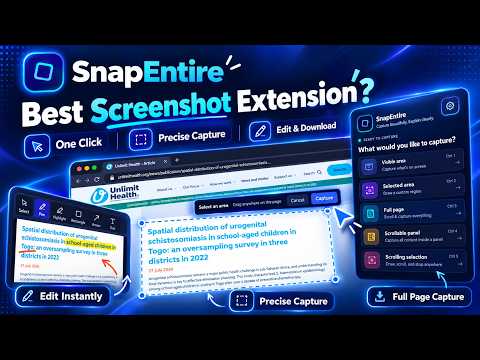
SnapEntire - Full Page Screenshot makes it easy to capture an entire webpage from top to bottom. Instead of taking multiple screenshots and combining them manually, you can capture a complete scrollable page and save the result. Key Features • Capture an entire webpage from top to bottom • Capture content beyond the visible browser area • Save screenshots as PNG or JPG • Export captured webpages as PDF • Preview captures before saving • Simple and lightweight interface • Quick access from the Chrome toolbar How It Works Open the webpage you want to capture, click the SnapEntire icon, and start the capture. SnapEntire processes the page from top to bottom and lets you preview the result before saving or exporting it. Common Uses SnapEntire can be used to save long webpages, articles, documentation, receipts, tutorials, dashboards, and other webpage content that does not fit within a single screen. PNG, JPG and PDF Export Save your capture as PNG or JPG, or export it as a PDF depending on how you want to store or share the captured webpage. Designed for Simplicity SnapEntire focuses on webpage screenshot capture. Open a page, start the capture, preview the result, and save it in your preferred available format. Privacy SnapEntire uses browser permissions only to provide its screenshot and export functionality. Please review the privacy policy for complete information about data and permission usage. Support If you experience a problem or have a suggestion, use the support information provided on the Chrome Web Store listing.
5 out of 52 ratings
Details
- Version2.6.2
- UpdatedSeptember 24, 2026
- Offered byNexvanta Consulting LLC
- Size120KiB
- LanguagesEnglish
- DeveloperNexvanta Consulting LLC
30 N Gould St ste r Sheridan, WY 82801 USEmail
support@nexvantaconsulting.com - Non-traderThis developer has not identified itself as a trader. For consumers in the European Union, please note that consumer rights do not apply to contracts between you and this developer.
Privacy

SnapEntire - Full Page Screenshot has disclosed the following information regarding the collection and usage of your data. More detailed information can be found in the developer's privacy policy.
SnapEntire - Full Page Screenshot handles the following:
This developer declares that your data is
- Not being sold to third parties, outside of the approved use cases
- Not being used or transferred for purposes that are unrelated to the item's core functionality
- Not being used or transferred to determine creditworthiness or for lending purposes
Support
For help with questions, suggestions, or problems, visit the developer's support site