


Overview
Convert any webpage to clean Markdown for ChatGPT, Claude & Gemini. Multi-tab copy, token counter. 100% private.
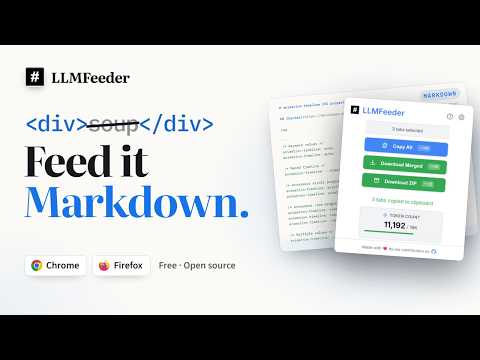
LLMFeeder converts any webpage into clean Markdown and copies it to your clipboard so you can paste it straight into ChatGPT, Claude, Gemini, or any other LLM. Built for AI context workflows: extract the main article, the full page, or just your selection. Multi-tab copy, download, and ZIP when you need several pages at once. Token counter helps you stay inside model context limits. Everything runs locally in your browser with no accounts and no telemetry. What's new in v2.2.1 • Opt-in auto-scroll for lazy-loaded chat UIs (Gemini, AI Studio, and similar) • Alternate copy mode: one-click Full Page or Main Content from the copy button • Better fenced code blocks from generic <pre> elements • Store listing refresh for AI / Markdown discovery • More reliable iframe extraction: same-origin and srcdoc frames are read from the page, and cross-origin ones become a link instead of a broken grab. Also included • Smart main-content extraction • Preserve tables, images, links, and page title (all toggleable) • Custom source metadata templates • Right-click: Copy to Markdown / Download • Dark and light themes • Debug logging when you need to file an issue Keyboard shortcuts • Alt+Shift+L - open popup • Alt+Shift+M - convert and copy • Alt+Shift+D - download as .md • Alt+Shift+Z - download selected tabs as ZIP Privacy Processing stays on your device. Permissions are limited to what's needed for conversion, clipboard, settings, tabs, and context menus. Token counting may fetch encodings from tiktoken.pages.dev and falls back to a local heuristic offline. Open source: https://github.com/jatinkrmalik/LLMFeeder Issues / requests: https://github.com/jatinkrmalik/LLMFeeder/issues
4.1 out of 524 ratings
Details
- Version2.2.1
- UpdatedNovember 2, 2026
- Size352KiB
- LanguagesEnglish
- DeveloperWebsite
Email
jatinkrmalik@gmail.com - Non-traderThis developer has not identified itself as a trader. For consumers in the European Union, please note that consumer rights do not apply to contracts between you and this developer.
Privacy

LLMFeeder - Web to Markdown for AI has disclosed the following information regarding the collection and usage of your data. More detailed information can be found in the developer's privacy policy.
LLMFeeder - Web to Markdown for AI handles the following:
This developer declares that your data is
- Not being sold to third parties, outside of the approved use cases
- Not being used or transferred for purposes that are unrelated to the item's core functionality
- Not being used or transferred to determine creditworthiness or for lending purposes
Support
For help with questions, suggestions, or problems, visit the developer's support site