

LLM-Bridge: Sync & Migrate AI Chats (ChatGPT, Gemini, Claude,... )

Overview
Seamlessly migrate conversations between ChatGPT, Gemini, and Claude. Backup chats, sync history, and control your AI data.
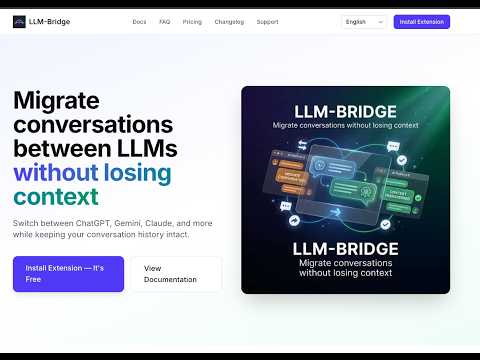
LLM-Bridge: The Missing Link for Power AI Users Stop Copy-Pasting. Start Cross-Verifying. Are you tired of manually copying prompts and context between ChatGPT, Claude, and Gemini? Do you struggle to fact-check one AI against another without losing your train of thought? LLM-Bridge is the first browser extension designed for the Power AI User. We turn your isolated AI chats into a unified, collaborative workflow. The Pain Points (Why We Built This) 1. The Hallucination Anxiety: You are 80% sure one model is correct, but verifying with another requires opening new tabs, copy-pasting code, and re-explaining context. 2. Context Amnesia: Switching models often means starting from zero and losing the nuance of previous conversation turns. 3. Prompt Fatigue: Re-typing your favorite system prompts or critique templates repeatedly wastes time. 4. Siloed Intelligence: Each AI model has strengths. Instead of choosing one, use them simultaneously. Key Features Instant Context Migration Move your entire conversation history (User and AI replies) from one AI platform to another in one click. Continue exactly where you left off, but with a different model. Deep Copy and Granular Selection Select specific turns from long conversations and copy, export, or migrate only those parts. Second Opinion Injection Inject the current answer directly into an active tab of another AI to request review, critique, or improvements. Smart Prompt Templates Edit messages before migration and apply pre-saved templates such as critique, refactor, or simplify instructions. Zero-Setup Model Switching Automatically detects your subscription level and selects the best available model using your existing browser session. Our Privacy Manifest (The No-BS Pledge) • No API Keys Required: Uses your existing logged-in browser sessions. • No History Storage: Conversations remain between you and the AI provider. • Client-Side Execution: All logic runs locally inside your browser. How It Works 1. Install the extension from the Chrome Web Store. 2. Use ChatGPT, Gemini, or Claude as usual. 3. Open the side panel and select messages to migrate. 4. Click Migrate to instantly continue the conversation in another AI tab.
0 out of 5No ratings
Details
- Version1.0.0
- UpdatedJune 17, 2026
- FeaturesOffers in-app purchases
- Offered byvancuonghoang1611
- Size398KiB
- Languages2 languages
- DeveloperHoàng Văn Cường
Thôn Thuận Hoà Xã Thuận Đức Đồng Hới, Quảng Bình 550000 VNEmail
support@llm-bridge.comPhone
+84 768 686 773 - TraderThis developer has identified itself as a trader per the definition from the European Union and committed to only offer products or services that comply with EU laws.
Privacy

LLM-Bridge: Sync & Migrate AI Chats (ChatGPT, Gemini, Claude,... ) has disclosed the following information regarding the collection and usage of your data. More detailed information can be found in the developer's privacy policy.
LLM-Bridge: Sync & Migrate AI Chats (ChatGPT, Gemini, Claude,... ) handles the following:
This developer declares that your data is
- Not being sold to third parties, outside of the approved use cases
- Not being used or transferred for purposes that are unrelated to the item's core functionality
- Not being used or transferred to determine creditworthiness or for lending purposes