


Overview
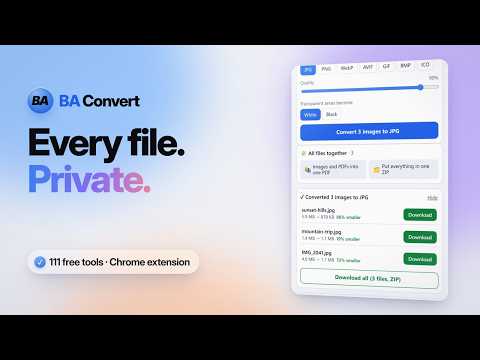
Drop any file to compress or convert it. Images, PDF, Word, Excel and more. Files never leave your device.
BA Convert is a private file converter that opens in your browser's side panel. Drop in files from your computer, or drag an image straight from a web page, and it shows only the tools that make sense for those files. Everything happens inside your browser. Your files are never uploaded, there is no account to create, and it keeps working when you are offline. What you can do with images: • Convert a whole batch to one format in a single click, including iPhone photos • Make files smaller, either with a quality slider or to an exact size such as "under 50 KB" for an online form • Resize, rotate, crop to an exact size, switch to black and white, or remove a white background • Add a text or logo watermark • Remove hidden location and camera details before you share a photo • Prepare passport-style photos and signatures in the sizes Indian exam and job forms ask for • Shrink animated GIFs without losing the animation What you can do with PDFs: • Make them smaller, combine several into one, split them, or remove and reorder pages • Turn pages into pictures, or get the text out as a Word document • Add page numbers or a watermark • Lock a PDF with a password, or unlock one you have the password for It also turns Word documents into PDFs, converts between spreadsheets and other table files, makes a short GIF from a video clip, and can put many files into one ZIP or one PDF. Tip: right-click any image on a website and choose "Open in BA Convert". Made by Betsan in Chennai, India. The same tools are available at baconvert.com.
5 out of 53 ratings
Details
- Version1.1.1
- UpdatedNovember 17, 2026
- Size3.2MiB
- LanguagesEnglish
- DeveloperWebsite
Email
betsan@bastudio.in - Non-traderThis developer has not identified itself as a trader. For consumers in the European Union, please note that consumer rights do not apply to contracts between you and this developer.
Privacy

This developer declares that your data is
- Not being sold to third parties, outside of the approved use cases
- Not being used or transferred for purposes that are unrelated to the item's core functionality
- Not being used or transferred to determine creditworthiness or for lending purposes