


Overview
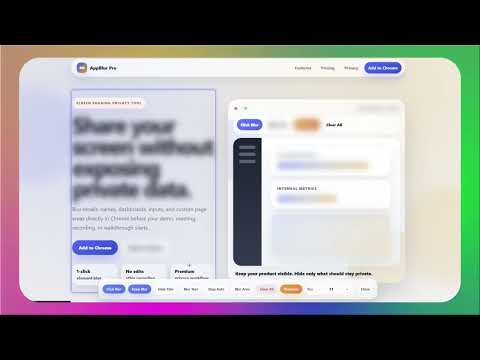
Blur text, images, inputs, and page areas instantly for safer screen sharing and app demos.
AppBlur Pro is a privacy-focused Chrome extension that helps you blur sensitive data directly on any webpage before you share your screen, record a video, or run a live product demo. Use AppBlur Pro to hide emails, names, customer details, dashboards, messages, inputs, API keys, financial numbers, internal notes, CRM fields, and private information while keeping the rest of your interface visible and professional. Built for screen sharing, SaaS demos, sales calls, Loom recordings, Zoom meetings, Google Meet sessions, tutorials, client presentations, support walkthroughs, and online training. What you can do with AppBlur Pro: - Blur page elements in one click - Blur selected text such as emails, names, numbers, tokens, or private values - Draw a custom Blur Area over dashboards, widgets, tables, messages, or sensitive panels - Keep blur settings on the same URL for repeat demos and workflows - Adjust blur intensity for a clean, presentation-ready screen - Clear all blur effects when you want to reset the page - Hide the tab title for cleaner and safer screen sharing Why use AppBlur Pro? Preparing fake demo data takes time. Editing sensitive information after recording is slow. Cropping your screen during a live call looks unprofessional. AppBlur Pro gives you a faster privacy workflow directly inside Chrome, so you can present real interfaces with more confidence. AppBlur Pro is useful for: - Founders and SaaS teams showing product dashboards - Sales and customer success teams running live demos - Agencies and freelancers presenting client work - Support teams recording walkthroughs and bug reports - Teachers, coaches, and trainers protecting student or client details - Creators making tutorials, reviews, and YouTube videos - Professionals sharing internal tools during remote meetings Protect private data before it appears on screen. Blur what matters, keep your workflow visible, and share your screen with confidence.
5 out of 51 rating
Details
- Version1.0.0
- UpdatedJune 24, 2026
- Size7.26MiB
- Languages5 languages
- DeveloperWebsite
Email
vtr.entreprise123@gmail.com - Non-traderThis developer has not identified itself as a trader. For consumers in the European Union, please note that consumer rights do not apply to contracts between you and this developer.
Privacy

This developer declares that your data is
- Not being sold to third parties, outside of the approved use cases
- Not being used or transferred for purposes that are unrelated to the item's core functionality
- Not being used or transferred to determine creditworthiness or for lending purposes