


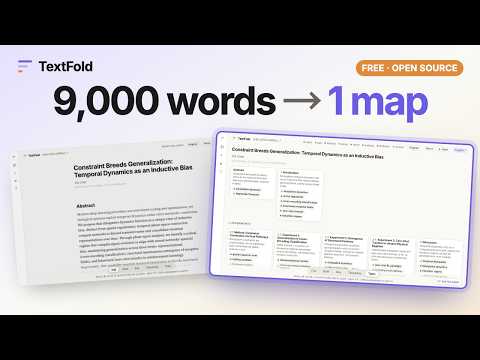
Overview
Send the page you are reading to TextFold on this computer, as you see it, and read it at five levels.
TextFold folds a text into five levels, from a one-screen map to every word. This button sends the page you are reading to TextFold on your computer, as you see it, so that you can read it the same way. What it is for • A long article, a paper on a publisher's site, documentation, a report: send it with one click, read its map first, then open only the parts you need. • The page as your browser shows it: signed in, past a paywall you pay for, drawn by the page's scripts. What you can read, TextFold can read. • The article, not the page around it. Two open-source reading views (Defuddle and Readability) find the article inside your browser, with its headings, figures, formulas, footnotes and references. How it works 1. Install TextFold, the free app for macOS and Windows (https://chenxiachan.github.io/textfold/), and open it once. It connects itself to your browser. Using TextFold from Python instead? Run: python3 -m textfold capture install 2. On any page, click the TextFold button. A ✓ says the page is in your library. When TextFold is running, its reader opens beside the page. 3. Read it at Topic, Takeaway, Key, Brief or Full, in the language you choose. Privacy The extension reads a page only when you click its button, and only in that tab. It hands the page to TextFold on your computer through the browser's native messaging, and to nothing else: no server, no analytics, no tracking. TextFold writes the levels with the AI model you choose in its settings, a model on your computer or a provider you connected with your own key. Privacy policy: https://chenxiachan.github.io/textfold/privacy.html Open source TextFold and this extension are open source under the Apache License 2.0: https://github.com/chenxiachan/textfold
0 out of 5No ratings
Details
- Version0.1.0
- UpdatedOctober 29, 2026
- Size360KiB
- Languages13 languages
- DeveloperWebsite
Email
Chatchan92@gmail.com - Non-traderThis developer has not identified itself as a trader. For consumers in the European Union, please note that consumer rights do not apply to contracts between you and this developer.
Privacy

TextFold has disclosed the following information regarding the collection and usage of your data. More detailed information can be found in the developer's privacy policy.
TextFold handles the following:
This developer declares that your data is
- Not being sold to third parties, outside of the approved use cases
- Not being used or transferred for purposes that are unrelated to the item's core functionality
- Not being used or transferred to determine creditworthiness or for lending purposes