

TabVitals – Tab Suspender, Tab Manager, Free Up RAM & Clear Cache

Overview
Find heavy tabs, free up RAM with Auto-Suspend, and clear cache for one website. Open the current site in Incognito.
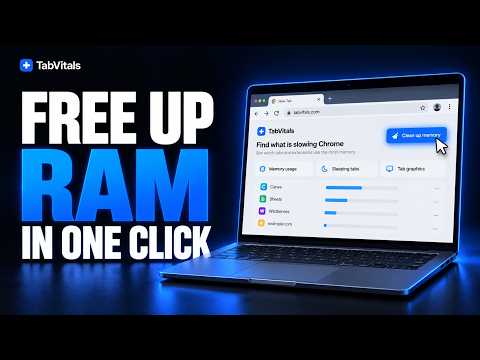
TabVitals helps you find memory-heavy Chrome tabs, put eligible tabs to sleep without closing them, and fix problems on one website without resetting the rest of your browser. Use X-Ray when you want to inspect and act manually, or turn on Auto-Suspend for repeated background-tab cleanup. FIND HEAVY TABS WITH X-RAY Run X-Ray to see your loaded tabs by name, with available memory and activity signals. Where Chrome exposes renderer memory, TabVitals shows it in MB or GB; otherwise it labels JavaScript-only readings or approximate estimates. Sort the results and choose the tabs you no longer need running in the background. SLEEP TABS MANUALLY OR AUTOMATICALLY Sleep one eligible tab, other eligible tabs in the current window, or eligible background tabs across Chrome. They stay in their windows and reload when you return. Auto-Suspend is off by default. Turn it on to start a scan-and-sleep cycle, then repeat it every 30 minutes, 1 hour or 2 hours, according to your choice. See the number of tabs put to sleep and the measured change in available system memory after a cycle. You can turn it off at any time. KEEP IMPORTANT TABS AWAKE Always Awake protects sites you choose from TabVitals sleep actions. Active and pinned tabs, tabs playing audio, recently used tabs and Incognito tabs are also excluded from automatic sleep. This tab manager focuses on finding, sleeping and protecting tabs; it does not group tabs, save sessions or sync workspaces. CLEAR ONE SITE'S CACHE OR COOKIES Open the site you want to refresh and choose the action you need: • Fix this site clears its cache storage and service worker, then reloads the page while bypassing cached resources. It does not delete cookies or browsing history. • Full reset clears that site's cache, cookies and other stored site data, then reloads it. You may need to sign in again. Other unrelated websites are not reset; cookies shared across subdomains of the same domain may also be removed. OPEN THE CURRENT SITE IN INCOGNITO Open the current web page in an Incognito window while keeping the normal tab open. Chrome requires you to allow TabVitals in Incognito before this action is available. REMOVE VISITS FOR ONE SITE FROM HISTORY Choose Remove from history to delete matching visits for the current website without clearing your entire Chrome history. Full reset offers history removal as a separate optional choice. Clearing cache or cookies alone does not remove history. Chrome requests the optional history permission only when you choose a history-removal action. PRIVATE, WITH CLEAR LIMITS Tab analysis and site actions run locally in Chrome. TabVitals does not upload page content, passwords, cookies or browsing history. It uses tab access to identify and sleep tabs, local storage for settings and results, browsing-data access for the site tools, alarms for Auto-Suspend, and debugger and system-memory access for local diagnostics. Chrome may briefly show a debugging notice during X-Ray or an enabled automatic cycle; the diagnostic connection closes when the scan ends. Per-tab memory figures depend on what Chrome exposes and may be approximate or JavaScript-only, not exact physical RAM. The post-sleep change in available memory is a system-wide reading that other apps can affect. Results vary with your open tabs and computer. Save unfinished work before sleeping a tab or resetting a site. Learn more: https://tabvitals.com Support: https://tabvitals.com/support Privacy: https://tabvitals.com/privacy TabVitals is an independent Chrome extension and is not affiliated with Google.
5 out of 51 rating
Details
- Version0.4.22
- UpdatedOctober 2, 2026
- Size104KiB
- Languages6 languages
- DeveloperWebsite
Email
nice4device@gmail.com - Non-traderThis developer has not identified itself as a trader. For consumers in the European Union, please note that consumer rights do not apply to contracts between you and this developer.
Privacy

This developer declares that your data is
- Not being sold to third parties, outside of the approved use cases
- Not being used or transferred for purposes that are unrelated to the item's core functionality
- Not being used or transferred to determine creditworthiness or for lending purposes
Support
For help with questions, suggestions, or problems, please open this page on your desktop browser